
|
Do it yourself
| |||
| ||||


Honda Civic - Blower motorBlower Motor Honda Civic (2006-2012 / mk 8) Honda Civic (2006-2012 / MK 8) How to Replace the Cabin Fan in a Honda Civic? In this tutorial, see how to replace the cabin fan in a Honda Civic, a task that is extremely simple and quick. First, ensure the instrument panel is off, then …Read all… Posted on 30 September 2026 by ScegliAuto  Honda Civic (2006-2012 / MK 8) How to replace the cabin fans in the Honda Civic? In this tutorial we can see how to replace the cabin fan in the Honda Civic, an extremely simple and quick operation. First of all, make sure that the key is …Read all… Posted on 9 July 2025 by ScegliAuto  Honda Civic (2006-2012 / MK 8) How to replace the cabin fan on a Honda Civic? In this tutorial, you will see how to replace the cabin fan on a Honda Civic, an extremely simple and quick operation. First, ensure that the key is not …Read all… Posted on 16 October 2026 by ScegliAuto  Honda Civic (1995-2001 / MK 6) How to Replace the Cabin Fan on the Honda Civic? To replace the cabin fan on the Honda Civic, access the area under the glove compartment on the passenger side: here you will find the side panel, which must …Read all… Posted on 1 October 2026 by ScegliAuto 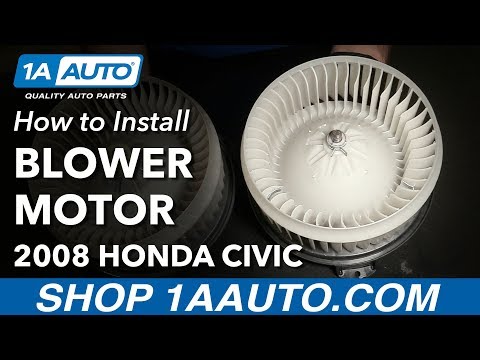 Honda Civic (2006-2012 / MK 8) How to replace the cabin fan on the Honda Civic? To replace the cabin fan on the Honda Civic, remove the plastic cover located under the glove compartment on the passenger side. The cover can be removed by …Read all… Posted on 9 June 2026 by ScegliAuto  Honda Civic (2001-2006 / MK 7) Replacement of Cabin Fan The cabin fan is located on the passenger side, just below the glove compartment. First, detach the plastic cover directly beneath the glove compartment: the …Read all… Posted on 6 February 2026 by ScegliAuto Blower Motor Honda Civic (2001-2006 / mk 7)
Honda Civic (2006-2012 / MK 8)How to Replace the Cabin Fan in a Honda Civic? In this tutorial, see how to replace the cabin fan in a Honda Civic, a task that is extremely simple and quick. First, ensure the instrument panel is off, then …Read all… Posted on 30 September 2026 by ScegliAuto
Honda Civic (2006-2012 / MK 8)How to replace the cabin fans in the Honda Civic? In this tutorial we can see how to replace the cabin fan in the Honda Civic, an extremely simple and quick operation. First of all, make sure that the key is …Read all… Posted on 9 July 2025 by ScegliAuto
Honda Civic (2006-2012 / MK 8)How to replace the cabin fan on a Honda Civic? In this tutorial, you will see how to replace the cabin fan on a Honda Civic, an extremely simple and quick operation. First, ensure that the key is not …Read all… Posted on 16 October 2026 by ScegliAuto
Honda Civic (1995-2001 / MK 6)How to Replace the Cabin Fan on the Honda Civic? To replace the cabin fan on the Honda Civic, access the area under the glove compartment on the passenger side: here you will find the side panel, which must …Read all… Posted on 1 October 2026 by ScegliAuto
Honda Civic (2006-2012 / MK 8)How to replace the cabin fan on the Honda Civic? To replace the cabin fan on the Honda Civic, remove the plastic cover located under the glove compartment on the passenger side. The cover can be removed by …Read all… Posted on 9 June 2026 by ScegliAuto
Honda Civic (2001-2006 / MK 7)Replacement of Cabin Fan The cabin fan is located on the passenger side, just below the glove compartment. First, detach the plastic cover directly beneath the glove compartment: the …Read all… Posted on 6 February 2026 by ScegliAuto Blower Motor Honda Civic (1995-2001 / mk 6)
Honda Civic (2006-2012 / MK 8)How to Replace the Cabin Fan in a Honda Civic? In this tutorial, see how to replace the cabin fan in a Honda Civic, a task that is extremely simple and quick. First, ensure the instrument panel is off, then …Read all… Posted on 30 September 2026 by ScegliAuto
Honda Civic (2006-2012 / MK 8)How to replace the cabin fans in the Honda Civic? In this tutorial we can see how to replace the cabin fan in the Honda Civic, an extremely simple and quick operation. First of all, make sure that the key is …Read all… Posted on 9 July 2025 by ScegliAuto
Honda Civic (2006-2012 / MK 8)How to replace the cabin fan on a Honda Civic? In this tutorial, you will see how to replace the cabin fan on a Honda Civic, an extremely simple and quick operation. First, ensure that the key is not …Read all… Posted on 16 October 2026 by ScegliAuto
Honda Civic (1995-2001 / MK 6)How to Replace the Cabin Fan on the Honda Civic? To replace the cabin fan on the Honda Civic, access the area under the glove compartment on the passenger side: here you will find the side panel, which must …Read all… Posted on 1 October 2026 by ScegliAuto
Honda Civic (2006-2012 / MK 8)How to replace the cabin fan on the Honda Civic? To replace the cabin fan on the Honda Civic, remove the plastic cover located under the glove compartment on the passenger side. The cover can be removed by …Read all… Posted on 9 June 2026 by ScegliAuto
Honda Civic (2001-2006 / MK 7)Replacement of Cabin Fan The cabin fan is located on the passenger side, just below the glove compartment. First, detach the plastic cover directly beneath the glove compartment: the …Read all… Posted on 6 February 2026 by ScegliAuto Airbag (4) Alternator (1) Shocks (9) Car stereo (7) Battery (14) Ignition coil (3) Air vents (1) Bushings (3) Control arm (5) Transmission (1) Spark plugs (11) Glow plugs (2) Body (12) Control unit (5) Key (29) Timing belt (2) V-belt (3) A/C controls (1) Onboard computer (9) Checks and maintenance (33) Dashboard (4) Shifter boot (1) CV boot (1) Bearing (5) Rear bench seat (2) Headlight (12) Tail light (5) Fog lights (1) Air filter (15) Cabin air filter (16) Fuel filter (3) Oil filter (2) Parking brake (5) Clutch (4) Grille (1) Fuel injectors (2) Window switch (1) Accessory kit (22) Xenon headlight kit (3) Light bulb (10) Side marker bulb (1) Headlight bulb (25) Tail light bulb (7) Interior dome light bulb (2) Antifreeze coolant (1) Instrument panel light (3) License plate light (1) (2) Handle (9) Exhaust muffler (3) Engine (2) Power window motor (3) Starter motor (6) Transmission fluid (3) Engine oil (18) Power steering fluid (1) Clock (37) Door trim panel (17) Front bumper (10) Rear bumper (2) Brake pads (4) Tires (2) Shift knob (11) Pump (2) Fuel pump (6) Car door (4) Power window switch (1) Instrument cluster (2) Radiator (3) Wheel (4) Fuse box (35) Seat (6) Axle shaft (4) Door lock (1) Brake system (1) Suspension system (3) Side mirror (7) Warning light – error code (33) (1) Tire pressure warning light (133) Service warning light (89) Manufacturer emblem (2) Engine mount (2) Brake drums and shoes (2) Fuel cap (1) Windshield wipers (5) Thermostat (1) Drivetrain (1) Valve (2) EGR valve (4) Blower motor (6) Side window (4) Steering wheel (5) |
Resetting the Service Light on the Mitsubishi Canter
When it is necessary to change the engine oil of the Mitsubishi Canter, a warning on the dashboard alerts us to this requirement. Once this maintenance task is completed, you must reset the control system. Sit in the driver's seat and turn on the instrument panel. Without starting the engine, press and hold the accelerator pedal for twenty seconds. After this time interval, while still holding the accelerator pedal, pump the brake pedal six times. Once done, the warning on the instrument panel will turn off, confirming the reset. by ScegliAuto More videos
|
|
For advertising on this site Write to info@scegliauto.com
ScegliAuto is not responsible for any inaccuracy of the data in the lists. To report any inaccuracy or your business (if you own the business in question), please write to info@scegliauto.com
Number of seconds to generate the page: 0.013
(c) ScegliAuto 2026 - info@scegliauto.com - Privacy policy - About us VAT number: IT01247470535 |
