
|
Do it yourself
| |||
| ||||


Model: Honda X Adv
In this video, you will learn how to customise all the settings on the Honda X-ADV display: press the "menu" button on the handlebar, hold down the right arrow to access the riding modes. You can customise the engine map, adjust the torque and throttle response settings according to your riding style. In the display settings, you can choose from different types of layouts, adjusting the brightness, background colour, and which user information to display, selecting from a wide range of options. There are also general settings, such as date and time, units of measurement, language, reset settings, Bluetooth pairing, and quick function settings. You can easily access the light settings, automatic or manual, using the FN button.
Posted on 28 April 2026 by ScegliAuto
Video tutorial
Related tutorials
X Adv
In this tutorial we can see how to adjust the time on the Honda X-ADV 750 scooter, an extremely simple and quick operation, to be carried out for exa…

X Adv
In this tutorial we can see how to adjust the date and time on the Honda X-ADV scooter, an extremely simple and quick operation, to be carried out fo…

X Adv
In this tutorial, we can see how to reset the DCT gearbox on the Honda X-ADV 750 scooter, an extremely simple and quick operation to be carried out, …
|
How to Change the Engine Oil in the Harley-Davidson Iron 883?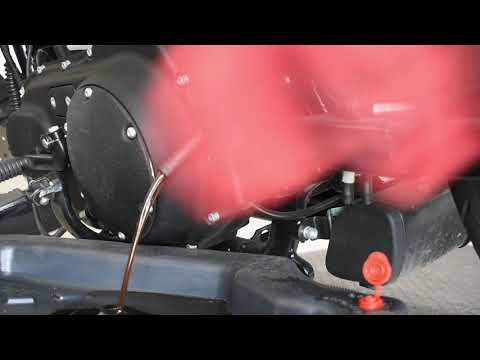
In this tutorial, you will learn how to change the engine oil in the Harley-Davidson Iron 883, a very simple and quick operation to perform every 12 months. First, wait for the engine to cool down, then open the filler cap located on the upper right side, disconnect the drain hose, and remove the plug by loosening the corresponding metal clamp. Once all the oil has drained from the system, replace the plug and proceed with changing the filter, which is located on the front of the engine. Finally, add new oil through the filler hole. by ScegliAuto More videos
|
|
For advertising on this site Write to info@scegliauto.com
ScegliAuto is not responsible for any inaccuracy of the data in the lists. To report any inaccuracy or your business (if you own the business in question), please write to info@scegliauto.com
Number of seconds to generate the page: 0.007
(c) ScegliAuto 2026 - info@scegliauto.com - Privacy policy VAT number: IT01247470535 |
