
|
Do it yourself
| |||
| ||||


How to set the time on the Honda CBR150R?
Model: Honda Cbr 150
Video tutorial
In this tutorial, you can see how to set the time on the Honda CBR150R, a very simple and quick operation, to be done after disconnecting the battery or when switching to daylight saving time. First, insert the key, then turn on the instrument panel and press and hold both the "MODE" button and the "RESET" button until the clock starts flashing. Next, set the hour using the "RESET" button, advance the minutes with the "MODE" button, and adjust them in the same way. To save the setting, press the "MODE" button one last time.
Posted on 6 August 2026 by ScegliAuto
Related tutorials
Cbr 150
.. In this tutorial, we will see how to set the time on the Honda CBR150R, a very simple and quick operation to perform, for example,.. …

Cbr 150
In this new guide, you will learn how to manually set the time displayed on the central dashboard of your Honda CBR150R. First, position the motorcyc…
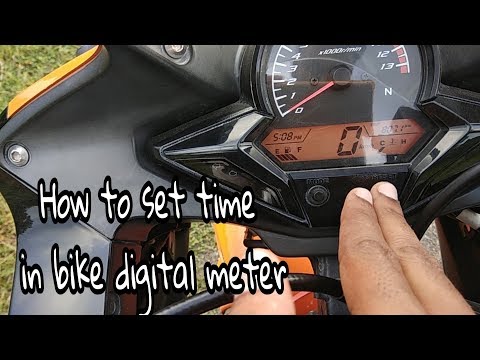
Cbr 150
To set the clock on a Honda CBR 150R, turn on the instrument cluster by inserting the ignition key into the ignition switch: once the display is on, …
|
Replacing the battery on a Kawasaki Z750
To change the battery on a Kawasaki Z750, remove the passenger seat section to access the rider's seat. Use an Allen key to unscrew the six screws securing the bracket underneath and move it to the side. Remove the battery from its housing and unscrew the terminals, starting with the positive terminal. Remove the old battery and replace it with a new one of the same size and specifications. Reattach the terminals, starting with the negative terminal, place the battery back in its housing, reposition the bracket and secure it with its screws, then reinstall both sections of the seat. by ScegliAuto More videos
|
|
For advertising on this site Write to info@scegliauto.com
ScegliAuto is not responsible for any inaccuracy of the data in the lists. To report any inaccuracy or your business (if you own the business in question), please write to info@scegliauto.com
Number of seconds to generate the page: 0.005
(c) ScegliAuto 2026 - info@scegliauto.com - Privacy policy VAT number: IT01247470535 |
