
|
Do it yourself
| |||
| ||||


Resetting the Service light on the Honda SH 300
Model: Honda Sh 300
Video tutorial
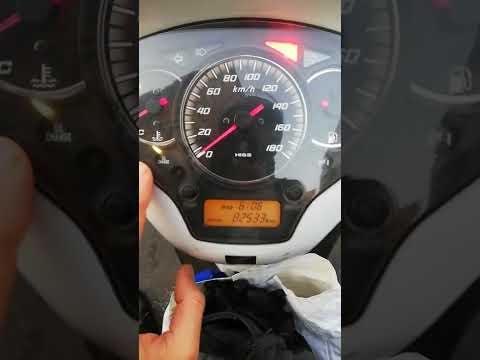
Once you have changed the engine oil on the Honda SH 300, you need to reset the yellow warning light on the dashboard that alerts you to the need for this maintenance task. Sit on the seat and turn the key to switch on the ignition. On the lower display, select the total mileage using the left button, then press and hold both buttons simultaneously for a few seconds until the yellow Service light goes out. Turn off the ignition, and upon the next restart, you can verify that the reset has been successful.
Updated on 21 September 2026 by ScegliAuto
Related tutorials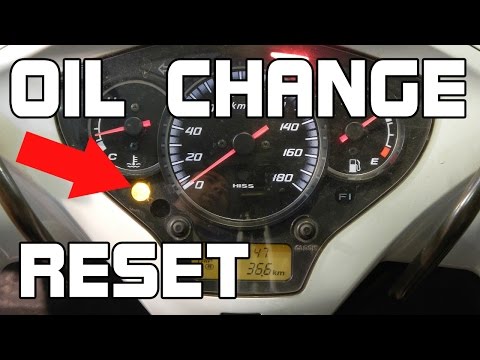
Sh 300
Before you can start, ensure that the engine oil change has been carried out, and then sit on the seat of your Honda SH 300. Begin by activating the …

Sh 300
Below are the steps to reset the oil change light on the Honda SH 300. The steps are very simple and are as follows. As we can see in the video, firs…
Sh 300
In this guide for your Honda SH 300, discover how to manually reset the engine oil light that remains illuminated on the dashboard. First, place the …
|
How to Change the Engine Oil on a Triumph Speed 400
To change the engine oil on a Triumph Speed 400, start by warming up the engine for a few minutes so that the oil becomes more fluid and can be drained easily. After turning off the engine, lift the bike using the centre stand to ensure stability. Position a container under the oil drain plug, which is located at the bottom of the engine. Unscrew the drain plug with the appropriate spanner and let the used oil drain completely into the container. Once the oil has finished flowing, re-screw the drain plug and ensure it is tightly closed. Now, remove the oil filler cap and, using a funnel, pour new oil into the engine, being careful not to exceed the capacity indicated in the manual. After adding the oil, check the level using the dipstick, adding more oil if necessary. Start the engine for a short period to circulate the oil, then turn it off and recheck the level, topping up if needed. by ScegliAuto More videos
|
|
For advertising on this site Write to info@scegliauto.com
ScegliAuto is not responsible for any inaccuracy of the data in the lists. To report any inaccuracy or your business (if you own the business in question), please write to info@scegliauto.com
Number of seconds to generate the page: 0.005
(c) ScegliAuto 2026 - info@scegliauto.com - Privacy policy VAT number: IT01247470535 |
