
|
Do it yourself
| |||
| ||||


How to reset the TPMS light on the 2009 Honda Accord
Model: Honda Accord
MK 8
- Years 2008-2013
If the TPMS light on the instrument panel of your Honda Accord (2009) continues to light up even if there is no puncture or loss of pressure in the tires, then you need to perform a manual reset of the light. Let's find out together the steps you need to take. First of all, get into the car and turn on the instrument panel, then locate the "Set" button with the TPMS light symbol on it. Next, press and hold the button and wait for the TPMS light to turn off. Finally, release the button and you're done.
Posted on 10 July 2025 by ScegliAuto
This video is currently unavailable
Related tutorials
Honda Accord
(2008-2013 /
MK 8)
If the TPMS sensor for the tire pressure of your 2009 Honda Accord remains on even without any punctures or after inflating the tires, it means you n…
Honda Accord
(2018-2023 /
MK 10)
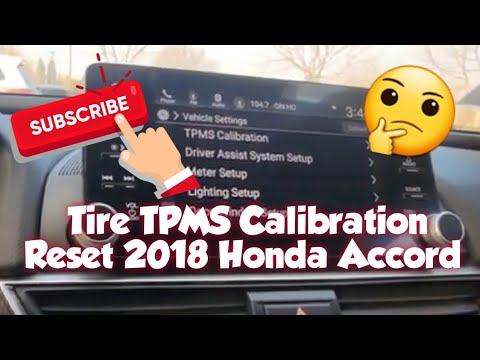
The TPMS light activates whenever your Honda Accord detects abnormal tyre pressures. If the light comes on by mistake, you must perform a manual rese…

Honda Accord
(2012-2017 /
MK 9)
To reset the TPMS light in a Honda Accord, first check that the pressure of all tyres matches the manufacturer's recommended values. Next, turn on th…
Other guides you may be interested in
|
How to change the time on a Toyota Yaris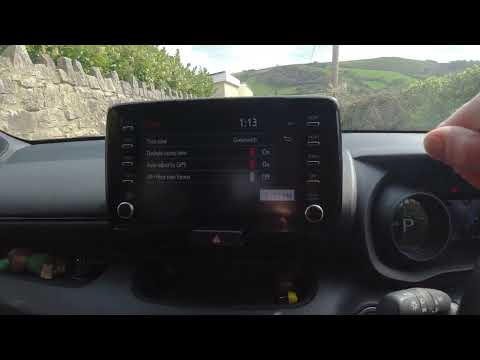
In this video we see how to change the time on a Toyota Yaris, specifically when it comes to switching from daylight saving time to standard time and vice versa. We go to the multifunction screen and press "settings": from there we go to press the clock, simply click on daylight saving time, and the clock will change the time for us, without doing anything else. All we want to do is just adjust the time format to 12 or 24 hours, as is customary in the area where we live: for example in Anglo-Saxon countries it is common to set the time to 12 hours, while in the European Union it is normally set to 24 hours. by ScegliAuto More videos
|
|
For advertising on this site Write to info@scegliauto.com
ScegliAuto is not responsible for any inaccuracy of the data in the lists. To report any inaccuracy or your business (if you own the business in question), please write to info@scegliauto.com
Number of seconds to generate the page: 0.052
(c) ScegliAuto 2026 - info@scegliauto.com - Privacy policy VAT number: IT01247470535 |
