
|
Do it yourself
| |||
| ||||


How to Change the ABS Sensor on a Honda Civic 8
Model: Honda Civic
MK 8
- Years 2006-2012
To replace the ABS sensor on a Honda Civic 8, lift the car and remove the wheel. Remove the plastic clips securing the wheel arch lining to access the sensor. The sensor is secured to the hub with a fastening element. Unscrew it and disconnect the electrical connector. Install the new sensor, which you can find on eBay under code 128001214963 for £19.99 with free delivery. Secure it and reconnect the connector. Clean the mounting seat of the wheel and refit the wheel. This is a simple and quick procedure that takes only a few minutes.
Posted on 20 August 2026 by ScegliAuto
Video tutorial
Related tutorials
Honda Civic
(2006-2012 /
MK 8)
In this video, learn how to replace the sensor and the bonnet closure mechanism on a Honda Civic from 2006 to 2012, to deactivate the open bonnet war…
Honda Civic
(2012-2015 /
MK 9)
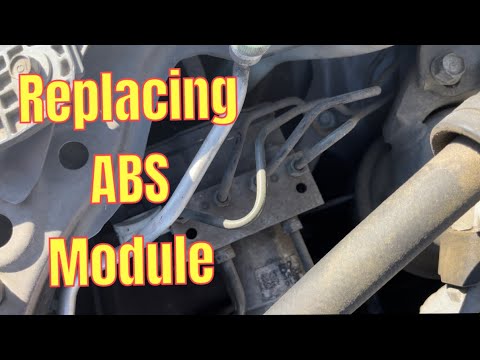
In this tutorial, see how to replace the ABS control module in the Honda Civic. First, open the bonnet, then disconnect the negative terminal of the …

Honda Civic
(2012-2015 /
MK 9)
The TPMS warning light activates on a Honda Civic vehicle when the tire pressure is not within the guidelines. This can happen due to tire wear from …
Other guides you may be interested in
|
How to Open a Stuck Boot on the Peugeot 407?
On the Peugeot 407, the boot may become stuck, possibly due to a problem with the control button or the lock actuator. In such cases, you can perform an emergency opening by following the simple procedure shown in this tutorial. First, open the rear doors, then lower the seat back by operating the release lever. Next, go inside the boot, locate the lock, and manually operate it using a flathead screwdriver. The boot will then be free to open. by ScegliAuto More videos
|
|
For advertising on this site Write to info@scegliauto.com
ScegliAuto is not responsible for any inaccuracy of the data in the lists. To report any inaccuracy or your business (if you own the business in question), please write to info@scegliauto.com
Number of seconds to generate the page: 0.166
(c) ScegliAuto 2026 - info@scegliauto.com - Privacy policy VAT number: IT01247470535 |
