
|
Do it yourself
| |||
| ||||


How to Set the Clock on a Honda Civic
Model: Honda Civic
MK 8
- Years 2006-2012
You can modify the clock displayed on the centre dashboard of the Honda Civic by first turning on the instrument panel. Then, press and hold the AM/FM button located on the central dashboard panel until the clock starts flashing. Next, repeatedly press button 4 to change the hours and button 5 to change the minutes. Once the changes are made, press the AM/FM button again to confirm the setting; you can finish by turning off the ignition.
Posted on 2 October 2026 by ScegliAuto
Video tutorial
Related tutorials
Honda Civic
(2006-2012 /
MK 8)
Below are the instructions to set the clock on the central display of the Honda Civic. First, get inside the vehicle and turn on the instrument panel…

Honda Civic
(2006-2012 /
MK 8)
Today we will explain how to change the clock on the 2009 Honda Civic. Performing this operation on your own is simple and quick. To perform this ope…

Honda Civic
(2012-2015 /
MK 9)
Today's instructions will show us how to adjust the clock of the Honda Civic, following these simple steps. First, we get into the car and start the …
Other guides you may be interested in
|
How to Adjust or Remove the Headrest of the VOLVO XC60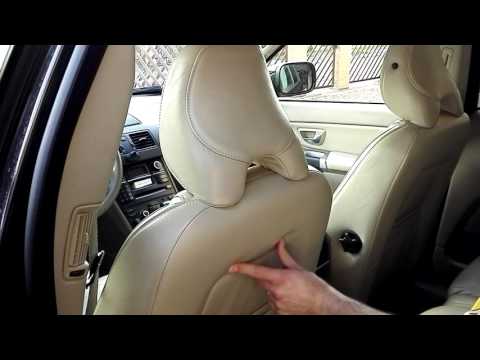
To adjust or adapt the headrest of the Volvo XC60, first know that there is a small control under the fabric of the front seat, at the back, facing the rear seats. By pressing this control, you can loosen the headrest attachment with your left hand and use your right hand to raise, lower, or tilt it according to the driver's preferences. In the same way, it is possible to remove it, but at that point, you will need to unscrew the screws of the under-seat control and proceed with its extraction; however, it is better to remove the headrest only if you need to install a child seat. by ScegliAuto More videos
|
|
For advertising on this site Write to info@scegliauto.com
ScegliAuto is not responsible for any inaccuracy of the data in the lists. To report any inaccuracy or your business (if you own the business in question), please write to info@scegliauto.com
Number of seconds to generate the page: 0.102
(c) ScegliAuto 2026 - info@scegliauto.com - Privacy policy VAT number: IT01247470535 |
