
|
Do it yourself
| |||
| ||||


|
Model: Husqvarna Norden 901
We discover about the Husqvarna Norden 901, how to reset the Service light, using the help of the video attached here. Like with cars and vehicles in general, the expected work includes changing the engine oil, the oil filter, and more. Here's how to clear the warning: turn on the instrument panel and manage the entire operation with the buttons located next to the left handlebar grip, from accessing the Settings Menu, to selecting the option related to Service and its Reset. The steps, following the video, are very intuitive, impossible to get wrong.
Posted on 24 April 2025 by ScegliAuto
Video tutorial
Related tutorials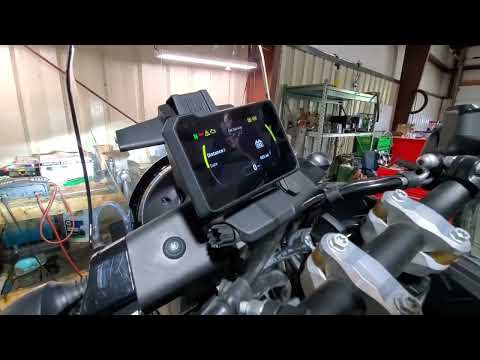
Norden 901
To reset the Service light on the Husqvarna Norden 901, turn the ignition key to switch on the instrument panel. Once the panel is on, use the indica…

Norden 901
Let's discover the procedure that will allow us to reset the service indicator light for the regular maintenance of the engine oil change on the Husq…

Norden 901
In this tutorial, we can see how to reset the service on the Husqvarna Norden 901, an extremely simple and quick operation, to be performed only once…
|
How to reset the oil light on the Honda SH 125
If the oil light appears on your Honda SH 125 dashboard despite having recently changed the oil, don't worry as you can resolve this minor issue with a simple manual reset procedure. First, turn on the ignition and hold down the "Info A" and "Info B" buttons located at the bottom of the left knob. At this point, press the "Info B" button multiple times until the oil change indicator starts to flash. Finally, press the "Info A" button once to perform the reset. The procedure is now complete. by ScegliAuto More videos
|
|
For advertising on this site Write to info@scegliauto.com
ScegliAuto is not responsible for any inaccuracy of the data in the lists. To report any inaccuracy or your business (if you own the business in question), please write to info@scegliauto.com
Number of seconds to generate the page: 0.004
(c) ScegliAuto 2026 - info@scegliauto.com - Privacy policy VAT number: IT01247470535 |
