
|
Do it yourself
| |||
| ||||


How to add the digital speedometer on the instrument panel of the Hyundai Tucson
Model: Hyundai Tucson
NX4, MK 4
- Years 2022-2026
Today we will add a digital speedometer to the instrument panel of the Hyundai Tucson. To add and therefore modify the display of the instrument panel, we need to turn on the instrument panel and press the menu button on the steering wheel. Select the "display" option to modify the display. Choose the option related to the speedometer to set it on the display. After setting the speedometer, you can restart the instrument panel or continue driving. From the display menu, you can change the color, brightness, and interact in different ways with the digital instrument panel.
Posted on 23 August 2025 by ScegliAuto
Video tutorial
Related tutorials
Hyundai Tucson
(2015-2021 /
TL, MK 3)
In order to reset the settings of the instrument panel of the Hyundai Tucson, you need to turn on the instrument panel so that you can navigate the m…

Hyundai Tucson
(2015-2021 /
TL, MK 3)
In this video we can see how to enable and disable the door lock on a 2016 Hyundai Tucson. We will use the keyboard located on the right side of the …

Hyundai Tucson
(2022-2026 /
NX4, MK 4)
To manually reset the engine oil light on your latest model Hyundai Tucson (2024), you need to follow all the steps described in this guide. First, t…
Other guides you may be interested in
|
How to Remove the Dome Light in a Mercedes C-Class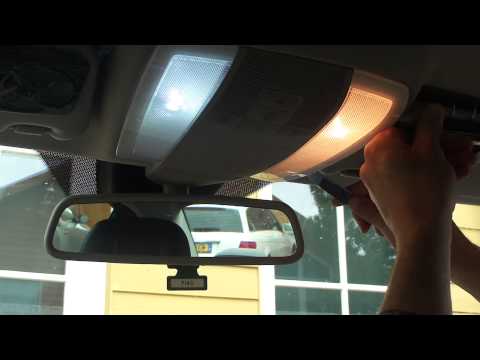
In this video, see how to replace the bulb or LED in the dome light of a Mercedes C-Class. Using a screwdriver or plastic trim tool, pry between the dome light cover and its perimeter (without breaking the plastic), remove the grille from the dome light, and then take out the clear plastic cover. Replace the damaged bulb with a new one (same size and voltage). Reinstall the plastic cover in its housing (press it in with your hands until the tabs are fully secured). Test the light's proper functioning before reinstalling the piece. by ScegliAuto More videos
|
|
For advertising on this site Write to info@scegliauto.com
ScegliAuto is not responsible for any inaccuracy of the data in the lists. To report any inaccuracy or your business (if you own the business in question), please write to info@scegliauto.com
Number of seconds to generate the page: 0.066
(c) ScegliAuto 2026 - info@scegliauto.com - Privacy policy VAT number: IT01247470535 |
