
|
Do it yourself
| |||
| ||||



How to Change the Battery in the Hyundai i30
Model: Hyundai I30
MK 1, FD
- Years:
2007, 2008, 2009, 2010, 2011, 2012
Video tutorial
To change the battery in your Hyundai i30, the steps are very simple and quick. First, turn off the car and pull the handbrake to keep it stationary. Next, open the bonnet and you will see the battery on the right side of the engine. To remove it, unscrew the hex bolt securing it with a socket spanner as shown in the video. Once done, disconnect the battery, ensuring you remove the negative terminal first, then the positive terminal. Now you can remove the old battery and proceed to secure the new one. Before doing so, the video advises cleaning the inside of the terminals with sandpaper to remove any oxide layer that has formed, to avoid long-term issues. Once the new battery is in place, connect the terminals in reverse order and once secured in its mount, you're done!
Posted on 11 May 2026 by ScegliAuto
Related tutorials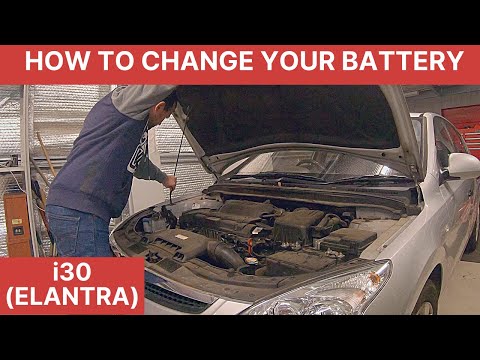
Hyundai I30
(2007-2012 /
MK 1, FD)
To replace the battery of the Hyundai i30, open the bonnet to access the engine bay and locate the battery at the front of the compartment, near the …

Hyundai I30
(2016-2024 /
MK 3, PD)
Replacing the engine air filter in your latest Hyundai i30 is very simple, and by following the steps in this guide, you can complete the task in jus…
Hyundai I30
(2011-2016 /
GD, MK 2)
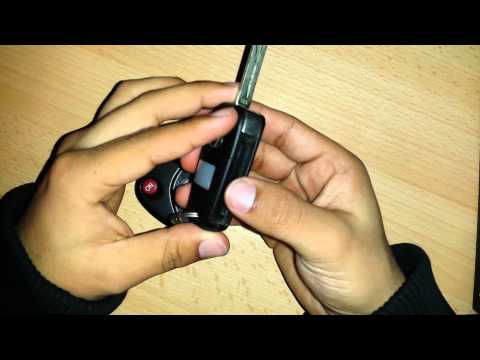
Is the Hyundai key remote not working anymore? Here’s how to change the battery. Take your ignition key and release the metal keyring. Use a screwdri…
Other guides you may be interested in
|
How to Change the Time on the Peugeot 208
Today's guide will show you how to set the clock on the Peugeot 208's onboard computer, following the instructions below. First, get in the car and turn on the instrument panel; then press and hold the settings button on the panel for a few seconds until the time starts to flash, as shown in the video. At this point, press the left button to correctly set the time, adjusting the hour first and then the minutes; exit the onboard computer menu to save all the changes made! by ScegliAuto More videos
|
|
For advertising on this site Write to info@scegliauto.com
ScegliAuto is not responsible for any inaccuracy of the data in the lists. To report any inaccuracy or your business (if you own the business in question), please write to info@scegliauto.com
Number of seconds to generate the page: 0.141
(c) ScegliAuto 2026 - info@scegliauto.com - Privacy policy VAT number: IT01247470535 |
