
|
Do it yourself
| |||
| ||||


Display Settings on the Hyundai Tucson 2026
Model: Hyundai Tucson
NX4, MK 4
- Years 2022-2026
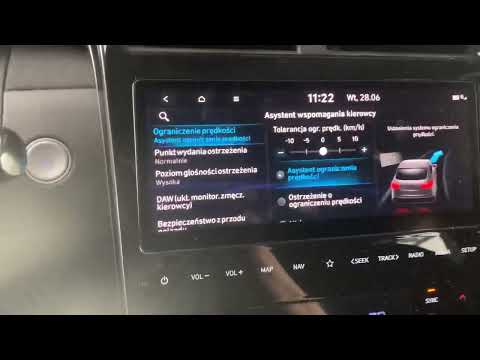
The video shows how to configure the instrument cluster display and the head-up display (HUD) on a 2026 Hyundai Tucson Limited. From the main menu, scroll left and go to Setup, then to Cluster & Heads Up Display. Here you can manage two sections. Cluster (instrument cluster): adjust the brightness from minimum to maximum, camera settings, activate the blue light filter (to make the screen warmer during dark nights), choose the cluster theme, set the auto stop time reset, select the displayed content, and the welcome sound. Heads Up Display (projected in front of the driver): turn the HUD on or off, adjust its height, rotation, and brightness, and customise the displayed content: turn-by-turn directions, multimedia information, calls, driving assistance, and blind spot information.
Posted on 21 September 2026 by ScegliAuto
Video tutorial
Related tutorials
Hyundai Tucson
(2022-2026 /
NX4, MK 4)
The new 2025 Hyundai Tucson features an on-board computer with many functions that allow you to modify and control vehicle settings, such as setting …

Hyundai Tucson
(2015-2021 /
TL, MK 3)
Today we will discover the instructions that will allow us to change the time on the Hyundai Tucson, in simple and quick steps. First of all, we get …
Hyundai Tucson
(2022-2026 /
NX4, MK 4)
In today's video, you will see how to reset the service light on the Hyundai Tucson currently available, specifically the model launched in 2022. Unl…
Other guides you may be interested in
|
Fuses Location and Diagram for the Volkswagen Crafter
In this guide, we will look at the location of the fuse boxes and how to find their diagram for the Volkswagen Crafter. First, get inside the vehicle and start by removing the plastic cover found under the steering wheel, to access the internal fuse box; you will find another fuse box in the engine compartment by removing the plastic cover located next to the battery. At this point, use the owner's manual to find the fuse diagram, which will allow you to identify and replace any blown fuses with new ones! by ScegliAuto More videos
|
|
For advertising on this site Write to info@scegliauto.com
ScegliAuto is not responsible for any inaccuracy of the data in the lists. To report any inaccuracy or your business (if you own the business in question), please write to info@scegliauto.com
Number of seconds to generate the page: 0.064
(c) ScegliAuto 2026 - info@scegliauto.com - Privacy policy VAT number: IT01247470535 |
