
|
Do it yourself
| |||
| ||||



How to Remove the Windscreen and Seal on Hyundai Ix35
Model: Hyundai ix35
MK 1
- Years:
2009, 2010, 2011, 2012, 2013, 2014, 2015
This video is currently unavailable
In this video tutorial, you will see the main instructions for removing and replacing the windscreen and its seal on a Hyundai Ix35. First, open the bonnet of your car and proceed to remove the wipers along with their arms by unscrewing the screws; then, using the right tools, detach the seal from the windscreen so that you can remove it. At this point, use a metal wire to remove the outer seal and then detach the windscreen using suction cups; follow the video to the end for the windscreen replacement!
Updated on 12 April 2026 by ScegliAuto
Related tutorials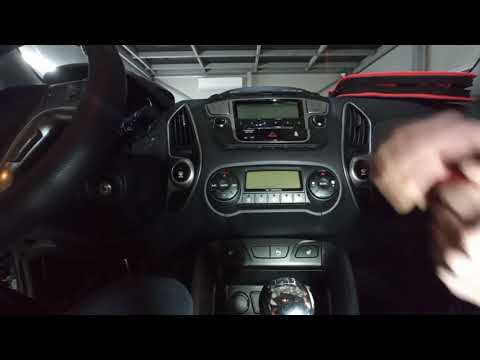
Hyundai ix35
(2009-2015 /
MK 1)
Removing the car radio in a Hyundai IX35 is a very simple and quick operation; let's see how to proceed in this tutorial. First, ensure the key is no…

Hyundai ix35
(2009-2015 /
MK 1)
Before you start, open the bonnet of your Hyundai IX35. Begin by unclipping and moving the clips that secure the top cover of the air filter. Next, u…

Hyundai ix35
(2009-2015 /
MK 1)
To remove and subsequently replace the external wing mirror on a Hyundai Ix35, simply leverage it from behind with your hands, pulling it out of its …
Other guides you may be interested in |
How to Change the Time on the Peugeot 208
Today's guide will show you how to set the clock on the Peugeot 208's onboard computer, following the instructions below. First, get in the car and turn on the instrument panel; then press and hold the settings button on the panel for a few seconds until the time starts to flash, as shown in the video. At this point, press the left button to correctly set the time, adjusting the hour first and then the minutes; exit the onboard computer menu to save all the changes made! by ScegliAuto More videos
|
|
For advertising on this site Write to info@scegliauto.com
ScegliAuto is not responsible for any inaccuracy of the data in the lists. To report any inaccuracy or your business (if you own the business in question), please write to info@scegliauto.com
Number of seconds to generate the page: 0.026
(c) ScegliAuto 2026 - info@scegliauto.com - Privacy policy VAT number: IT01247470535 |
