
|
Do it yourself
| |||
| ||||


How to change the tachograph coil on our Iveco Daily van
Model: IVECO Daily
MK 5
- Years 2014-2026
In this video we can see how to change the paper coil of the tachograph of our Iveco Daily - but of course this operation is valid for any van or truck - What we see is a VDO tachograph, but also with other types, the procedure is very similar. When the paper is about to run out, on the back we see red lines, which make us notice that the coil is ending. We press the button on the right and extract the drawer containing the paper tape. We simply pull out the coil that is ending and replace it with a new one, positioning the paper on the sensor, so that it comes out a millimeter out of the drawer. The new coil has two black stripes at the beginning: these must be inserted inside the printer and not outside. This is very important, because the printer reads these two black stripes that are the beginning of the coil.
Posted on 14 June 2025 by ScegliAuto
Video tutorial
Related tutorials
IVECO Daily
(2006-2020 /
MK 4)
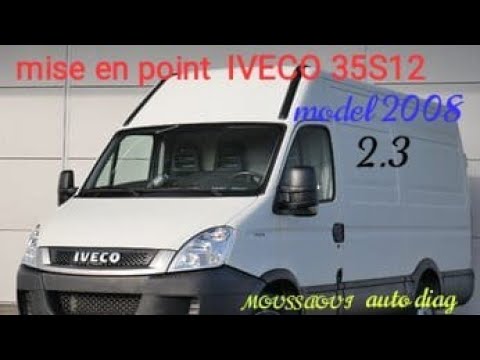
In this video our youtuber shows us a particular use of cruise control on the Iveco Daily IV: in fact, we all know that by setting the cruise control…
IVECO Daily
The timing belt on the Iveco Daily can be replaced by opening the bonnet to locate the components inside the engine bay: at the front of the engine b…

IVECO Daily
Through this very short video tutorial, you can see the diagram of the main fuse box for an Iveco Daily, a model produced from 2000 to 2006. The diag…
Other guides you may be interested in |
What Does the "Code 60" Message Mean in the Opel Meriva?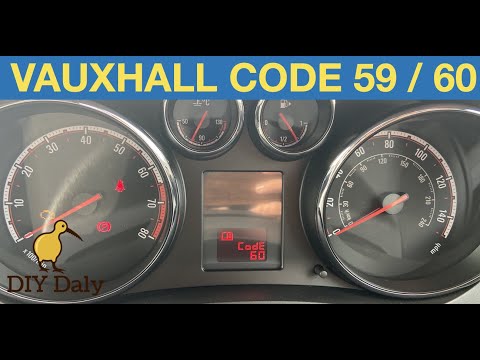
If the "Code 60" message has appeared on the dashboard of your Opel Meriva, it means that the passenger side window is not calibrated correctly. This issue can arise, for example, after disconnecting or replacing the battery, as the control unit for the various devices will lose the stored data. To remove the warning from the dashboard, simply turn on the ignition, fully open the window, and then close it. This procedure is also valid for the driver's window if the "Code 59" message appears. by ScegliAuto More videos
|

|
For advertising on this site Write to info@scegliauto.com
ScegliAuto is not responsible for any inaccuracy of the data in the lists. To report any inaccuracy or your business (if you own the business in question), please write to info@scegliauto.com
Number of seconds to generate the page: 0.558
(c) ScegliAuto 2026 - info@scegliauto.com - Privacy policy VAT number: IT01247470535 |
