
|
Do it yourself
| |||
| ||||


Instructions for Disassembling Brake Discs on an Iveco Daily
Model: IVECO Daily
MK 3
- Years 1999-2006
In this video, we will see the main instructions for disassembling the brake discs on an Iveco Daily. First, lift the vehicle and remove the wheel by taking off its bolts: then remove the bolts of the brake caliper and take it off, prying and removing the old brake pads. At this point, unscrew the hub screws with a socket wrench with an extension or a tube spanner and remove it, thus accessing the brake disc. Unscrew the central nut that holds it in place and remove the old disc by prying, replacing it with the new one.
Updated on 31 March 2026 by ScegliAuto
Video tutorial
Related tutorials
IVECO Daily
(2006-2020 /
MK 4)
This guide provides the main instructions on how to remove and replace the starter motor of the Iveco Daily 3.0 16V. First, open the vehicle's bonnet…
IVECO Daily
(1999-2006 /
MK 3)
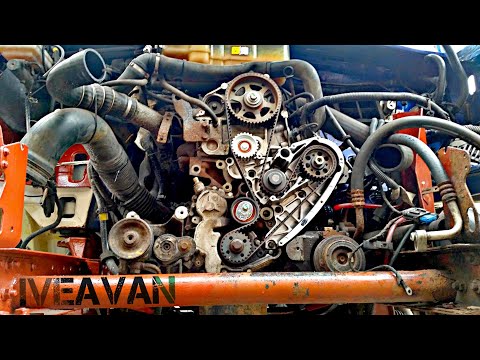
In today's tutorial video, you will see the main instructions for removing and replacing the timing belt on the Iveco Daily 2.3 Diesel, as well as on…

IVECO Daily
(2014-2026 /
MK 5)
To reset the "Service" light on an Iveco Daily, start by pressing and holding the accelerator for 10 seconds. Continue holding the accelerator while …
Other guides you may be interested in
|
How to reset the tyre pressure warning light on the Suzuki Jimny?
To reset the tyre pressure warning light on the Suzuki Jimny, first inflate the tyres to the pressure value indicated on the corresponding sticker: this is located at the bottom of the driver's door pillar. Once the tyres are inflated, insert the ignition key and turn on the instrument panel: select the screen that indicates the tyre pressures, checking that the values change. After a few seconds, the tyre pressure warning light will automatically turn off. by ScegliAuto More videos
|
|
For advertising on this site Write to info@scegliauto.com
ScegliAuto is not responsible for any inaccuracy of the data in the lists. To report any inaccuracy or your business (if you own the business in question), please write to info@scegliauto.com
Number of seconds to generate the page: 0.389
(c) ScegliAuto 2026 - info@scegliauto.com - Privacy policy VAT number: IT01247470535 |
