
|
Do it yourself
| |||
| ||||


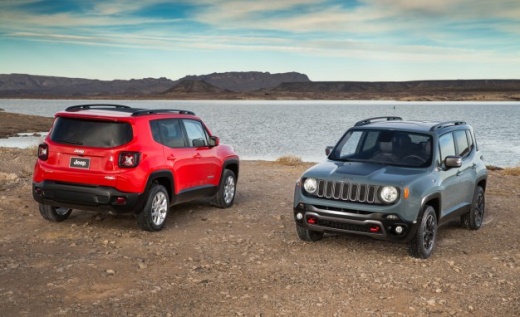
How to Update the Navigation System of the Jeep Renegade
Model: Jeep Renegade
520, MK 1, BU
- Years:
2014, 2015, 2016, 2017, 2018, 2019, 2020, 2021, 2022, 2023, 2024, 2025
Video tutorial
To update the navigation system of the Jeep Renegade and all vehicles of the FCA group (now Stellantis), access the web portal maps.Mopar.eu by entering your personal details and the required information. Depending on your contract terms, the service may be free and provide up to 4 updates per year. Once the download is complete, extract the compressed data and save it to an empty USB stick of at least 32 GB; get in the car, start the engine and the radio, and insert the USB stick into the designated USB port. Follow the procedure prompted by the display, which will ask you to delete the current map. Do not interrupt the installation process, which may take more than 30 minutes.
Updated on 11 August 2026 by ScegliAuto
Related tutorials
Jeep Renegade
(2014-2026 /
520, MK 1, BU)
In today’s video, we will see how to update the multimedia system of the Jeep Renegade; specifically, the map updates in the Uconnect system of the F…

Jeep Renegade
(2014-2024 /
)
On the Jeep Renegade, resetting the TPMS is done after adjusting the pressures according to the chart on the door pillar. With the Jeep Renegade stat…
Jeep Renegade
(2014-2026 /
520, MK 1, BU)
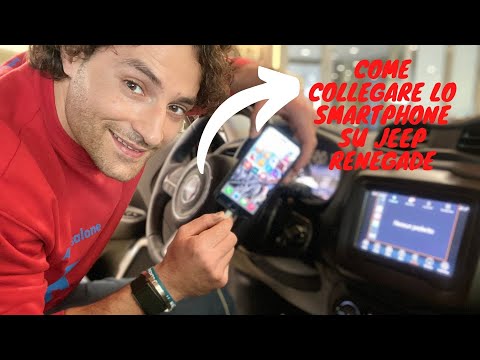
In today's video, see how Android Auto works in the Jeep Renegade. Apple CarPlay works in the same way. First, obtain a standard USB cable suitable f…
Other guides you may be interested in
|
How to Set the Date and Time on the Iveco Daily
Today, we will see in this video tutorial how to change the date and time on the Iveco Daily. First, get into the vehicle and turn on the instrument panel; then go to the vehicle settings on the central display, pressing the relevant option for date and time. At this point, press the "set" button located at the top, using the physical arrow buttons to set both the date and time; finally, exit the onboard computer menu to save the changes made! by ScegliAuto More videos
|
|
For advertising on this site Write to info@scegliauto.com
ScegliAuto is not responsible for any inaccuracy of the data in the lists. To report any inaccuracy or your business (if you own the business in question), please write to info@scegliauto.com
Number of seconds to generate the page: 0.015
(c) ScegliAuto 2026 - info@scegliauto.com - Privacy policy VAT number: IT01247470535 |
