
|
Do it yourself
| |||
| ||||


Model: Kawasaki J300
Changing the time on the on-board computer of the Kawasaki J300 is a very simple operation to perform independently, also thanks to our short video tutorial that will show you the steps to follow. To change the time, we must: - turn on the motorcycle's instrument panel; - simultaneously press the MODE and DJ buttons, located on the dashboard; - release the buttons when the clock starts flashing; - press the MODE button to adjust the hours and minutes; - press the OK button to confirm the chosen time; Once you have completed the last step, you can turn off and on the dashboard for further confirmation.
Posted on 23 February 2025 by ScegliAuto
Video tutorial
Related tutorials
J300
To replace the belt of the Kawasaki J300, you need to loosen the screws that secure the cover located near the rear wheel, on the left side of the mo…

J300
In this tutorial we can see how to reset the service in the Kawasaki J300, an extremely simple and quick operation, to be carried out only after comp…
J300
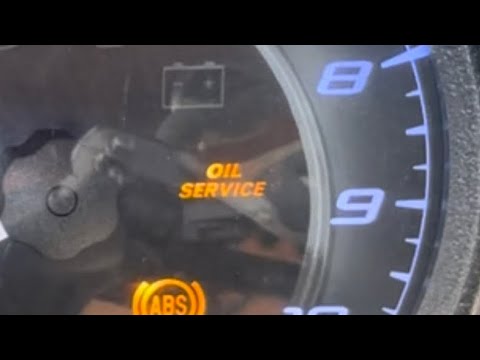
After changing the engine oil on your Kawasaki J300, an operation to be performed every 3,100 miles, you must also reset the service light. In today’…
|
How to Dismantle the TM Racing KZ R1 Engine?
To dismantle the TM Racing KZ R1 engine, first remove the block from its housing by unscrewing the screws that secure it to the supports and disconnecting all hoses and connectors attached to it. Once the engine block is freed, unscrew the screws securing the cylinder at the top of the block. This will allow you to remove the piston from its conrod, and then you can unscrew the screws that hold the two half-cases of the engine. You can then remove and replace all internal components, reassembling all parts afterwards. by ScegliAuto More videos
|
|
For advertising on this site Write to info@scegliauto.com
ScegliAuto is not responsible for any inaccuracy of the data in the lists. To report any inaccuracy or your business (if you own the business in question), please write to info@scegliauto.com
Number of seconds to generate the page: 0.006
(c) ScegliAuto 2026 - info@scegliauto.com - Privacy policy VAT number: IT01247470535 |
