
|
Do it yourself
| |||
| ||||


How to set the time on the Kawasaki Z650
Model: Kawasaki Z 650
Video tutorial
In this video we can see how to set the time on the instrument panel of a Kawasaki Z650. We use the two buttons located on the left of the instrument panel: "mode" at the top and "reset" at the bottom. If we want to reset the kilometers, we press "mode" once and hold down "reset" and the partial odometer is reset. If instead we hold down "reset" for a few seconds, we see that the clock starts flashing. At this point, by pressing "reset" only once, only the hour number flashes (which is set only on 12 hours); we then press reset again and go to the minutes, then press "reset" again and they flash together. Press "mode" and it's done.
Posted on 2 March 2025 by ScegliAuto
Related tutorials
Z 650
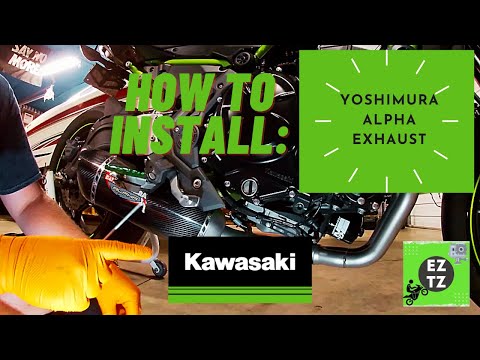
To replace the exhaust on the Kawasaki Z650, loosen the bolts securing it to the corresponding supports located on the right side of the bike near th…
Z 650
To replace the exhaust on a Kawasaki Z650, loosen the screws that secure it to the corresponding supports located on the right side of the bike near …

Z 650
Today, let's go over the instructions on how to replace the engine coolant in the Kawasaki Z 650 motorcycle. First, we place the motorcycle on a stan…
|
How to Change the Engine Oil on a Yamaha SMAX 150 Scooter?
In this tutorial, see how to change the engine oil on a Yamaha SMAX 150 scooter, a very simple and quick operation. First, ensure the engine is sufficiently cool. Then, position a container underneath the scooter, locate the drain bolt, and loosen it using a 12 mm socket spanner. Allow all the oil in the system to drain out, then remove the oil filter cap and clean it of any residue. At this point, reassemble everything and pour in the new oil through the designated hole. by ScegliAuto More videos
|
|
For advertising on this site Write to info@scegliauto.com
ScegliAuto is not responsible for any inaccuracy of the data in the lists. To report any inaccuracy or your business (if you own the business in question), please write to info@scegliauto.com
Number of seconds to generate the page: 0.006
(c) ScegliAuto 2026 - info@scegliauto.com - Privacy policy VAT number: IT01247470535 |
