
|
Do it yourself
| |||
| ||||


Model: Kawasaki Z125
In this tutorial, you can see how to set the time on a Kawasaki Z125, an extremely simple and quick operation, to be done, for example, after disconnecting the battery or after the change to daylight saving time. First, insert the key, then turn on the ignition and navigate to the "ODO" odometer using the upper button on the dashboard. Hold down both the upper and lower buttons until the clock starts to flash, then switch to the hour with the lower button and adjust it with the upper one. Similarly, you can switch to the minutes, adjust them, and save the setting.
Posted on 27 July 2026 by ScegliAuto
Video tutorial
Related tutorials
Z125
To replace the exhaust on a Kawasaki Z125, loosen the screws that secure it to its housing located on the right side of the bike, near the rear wheel…

Z125
To replace the battery of the Kawasaki Z125 Pro, you will need to loosen the screws that secure the seat to its housing: these screws will be located…

Z125
To change the engine oil of the Kawasaki Z125, loosen the drain plug located at the central lower part of the vehicle, allowing all the used oil to f…
|
Replacing the Front Brake Pads on the Piaggio Vespa 50 LX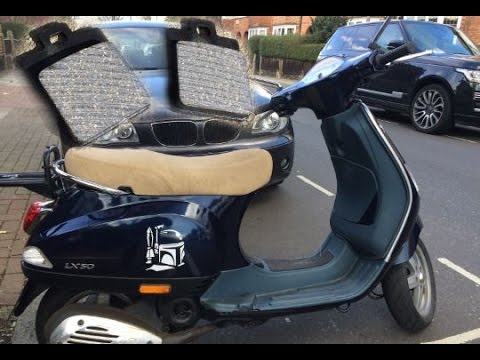
This guide will illustrate the instructions on how to remove and replace the front brake pads on the Piaggio Vespa 50 LX. First, place your scooter on the centre stand and start unscrewing the nuts securing the front wheel to remove it; then use pliers to remove the brake pad retaining clip, as shown in the video. At this point, remove the old pads, cleaning the caliper of dirt; press the caliper piston back to allow for the installation of the new pads (of excellent quality). Finally, reassemble the front wheel. by ScegliAuto More videos
|
|
For advertising on this site Write to info@scegliauto.com
ScegliAuto is not responsible for any inaccuracy of the data in the lists. To report any inaccuracy or your business (if you own the business in question), please write to info@scegliauto.com
Number of seconds to generate the page: 0.006
(c) ScegliAuto 2026 - info@scegliauto.com - Privacy policy VAT number: IT01247470535 |
