
|
Do it yourself
| |||
| ||||


|
Model: Kawasaki Versys
To perform this operation, obtain an original Kawasaki relay (better if you already have the tourer installed). Remove the front windscreen and the cover underneath it: to do this, push with a small key on the two buttons on the sides and then you can pull them out (the caps themselves). Then unscrew the two Allen bolts as shown in the video. Now the plastic cover will simply detach by pulling it. At this point, unscrew the rear screw (with bracket) of the cap where you will install the USB. Insert this. Place the relay in the appropriate connector already prepared and secure it in the bracket. Tie up the other cables (positive and negative) and position them so they remain secure.
Updated on 28 March 2026 by ScegliAuto
Video tutorial
Related tutorials
Versys
In this video, you will learn how to replace the engine oil and oil filter while performing the regular service on the 2021 Kawasaki Versys 650 ABS. …

Versys
Insert the ignition key into the designated slot on the side fairing, then remove the seat from the motorcycle. There you go! This operation will hel…

Versys
To replace the bulb on a Kawasaki Versys 650, remove the rubber protective cap located between the handlebars and the dashboard, disconnecting the co…
|
How to Replace the Clutch on a Triumph Speed Triple?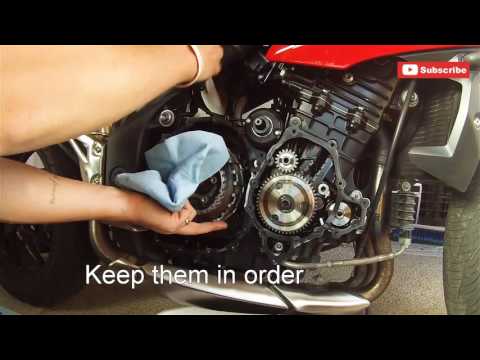
To replace the clutch on a Triumph Speed Triple, loosen the bolts securing the covers of the three casings located on the right side of the bike, namely the starter motor, the engine, and then the clutch. Once these covers are removed, you can access the bolts securing the clutch, unscrew them, and slide the clutch plates out of their housing. This will allow you to insert the new plates into their place, securing everything with the appropriate bolts; finally, reinstall all the casings. by ScegliAuto More videos
|
|
For advertising on this site Write to info@scegliauto.com
ScegliAuto is not responsible for any inaccuracy of the data in the lists. To report any inaccuracy or your business (if you own the business in question), please write to info@scegliauto.com
Number of seconds to generate the page: 0.005
(c) ScegliAuto 2026 - info@scegliauto.com - Privacy policy VAT number: IT01247470535 |
