
|
Do it yourself
| |||
| ||||


|
Model: Kawasaki Versys
In this video tutorial, you will learn how to remove and replace the rear wheel of the Kawasaki Versys 650 by following the instructions below. First, lift the motorcycle by placing the stand under the rear wheel; then, unscrew the rear wheel nut to remove the central axle as shown in the video. At this point, disconnect the chain and brake caliper; if necessary, replace the rear tyre and the brake pads, following the video tutorial to the end!
Updated on 21 June 2026 by ScegliAuto
Video tutorial
Related tutorials
Versys
To replace the headlight bulb on a Kawasaki Versys 650, loosen the screws that secure the side fairing of the fuel tank. Once this fairing is removed…

Versys
Insert the ignition key into the designated slot on the side fairing, then remove the seat from the motorcycle. There you go! This operation will hel…

Versys
To replace the air filter on the Kawasaki Versys 650, remove the bolts securing the side panels of the bike just below the fuel tank and the screws h…
|
How to Reset the Oil Light on a Honda PCX 160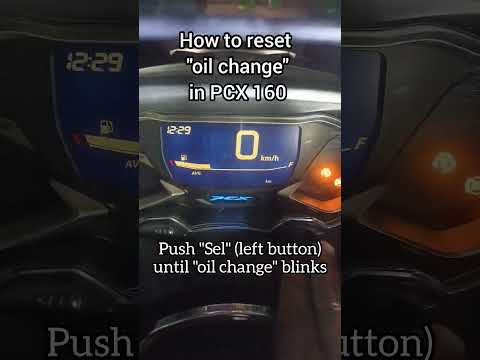
In this mini guide, discover the steps to manually reset the oil light on the central display of your Honda PCX 160. First, turn on the ignition with the key and press both the 'Sel' and 'Set' buttons located below it simultaneously. When the time starts to flash, hold 'Sel' until the oil indicator flashes, then press the 'Set' button once. To complete the reset, hold 'Sel' again until the operation is finished. by ScegliAuto More videos
|
|
For advertising on this site Write to info@scegliauto.com
ScegliAuto is not responsible for any inaccuracy of the data in the lists. To report any inaccuracy or your business (if you own the business in question), please write to info@scegliauto.com
Number of seconds to generate the page: 0.007
(c) ScegliAuto 2026 - info@scegliauto.com - Privacy policy VAT number: IT01247470535 |
