
|
Do it yourself
| |||
| ||||


How to Replace the Throttle Cable on the Keeway Superlight 200
Model: Keeway Superlight 200
Video tutorial
This guide provides instructions for removing and replacing the throttle cable on the Keeway Superlight 200 motorcycle. First, place the motorcycle on a stand and begin removing the side plastic fairings to access the throttle cable. Disconnect the cable from the carburettor, then detach it from the throttle grip as shown in the video. At this point, replace and install the new throttle cable, ensuring there is no excessive play at the grip, following the video tutorial to the end!
Posted on 23 March 2026 by ScegliAuto
Related tutorials
Superlight 200
This guide provides the main instructions on how to remove and replace the throttle cable on a Keeway Superlight 200 motorcycle. First, place the mot…

Superlight 200
To change the engine oil in a Keeway Superlight 200, loosen the drain plug located at the central lower part of the vehicle: once loosened, you can l…

Superlight 200
To replace the clutch of the Keeway Superlight 200, you need to loosen the screws that secure the cover located on the right side of the bike, at the…
ScegliAuto offers an extensive international collection of automotive tutorials available in 12 languages. Each guide combines instructional videos with original explanations written by experienced human editors, along with information about the car models covered.
|
How to Reset the Service on the KTM 1290 Super Duke R?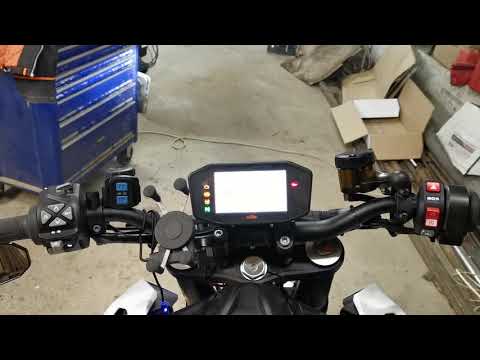
In this tutorial, you will see how to reset the service on the KTM 1290 Super Duke R, an extremely simple and quick operation to perform only after completing the required scheduled maintenance work. Start by turning on the instrument cluster, then press the "SET" button and scroll through the various screens until you reach the settings menu. Once done, press and hold both the up arrow and down arrow buttons to access the maintenance menu, adjust the various intervals as needed, and save the settings by returning to the main screen. by ScegliAuto More videos
|
|
For advertising on this site Write to info@scegliauto.com
ScegliAuto is not responsible for any inaccuracy of the data in the lists. To report any inaccuracy or your business (if you own the business in question), please write to info@scegliauto.com
Number of seconds to generate the page: 0.010
(c) ScegliAuto 2026 - info@scegliauto.com - Privacy policy - About us VAT number: IT01247470535 |
