
|
Do it yourself
| |||
| ||||


How to Install Side LEDs on the Keeway RKF 125
Model: Keeway Rkf 125
Video tutorial
This guide provides the main instructions for installing the side LEDs on the Keeway RKF 125 motorcycle. First, place your motorcycle on a stand and begin to dismantle and remove the side plastic fairings; then remove the seat to access the battery, as shown in the video. At this point, route the wiring for the new LEDs and secure them to the side fairings; then install a switch to turn the bulbs on and off, and reassemble everything, following the video tutorial to the end!
Updated on 15 August 2026 by ScegliAuto
Related tutorials
Rkf 125
Today, let’s discover the instructions to remove and replace the side fairings of the Keeway RKF 125 motorcycle. First, place the bike on a stand and…

Rkf 125
Below are the steps to install the USB socket on the Keeway RKF 125 motorcycle. First, place your motorcycle on its stand and begin by removing the s…
Rkf 125
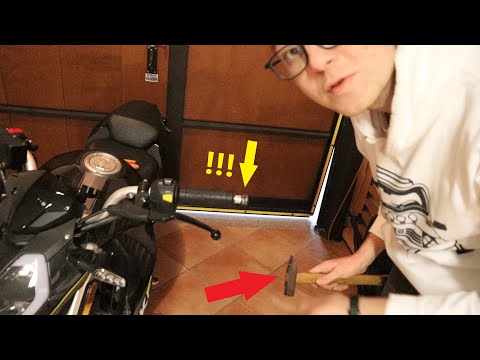
In this tutorial, learn how to remove and replace the mirrors on a Keeway RKF 125 in simple steps. First, remove the hard plastic on the mirror stem …
ScegliAuto offers an extensive international collection of automotive tutorials available in 12 languages. Each guide combines instructional videos with original explanations written by experienced human editors, along with information about the car models covered.
|
How to Replace the Battery Cables on a MV Agusta Brutale 1078 RR
To replace the battery cables on a MV Agusta Brutale 1078 RR, loosen the bolts securing the seat to its housing, also unscrewing those that secure the side panels located directly beneath it. Once these elements are removed, you can access the battery by sliding it out of its housing and disconnecting the cables: these can then be extracted from their connections to other components such as the starter motor or the alternator. At this point, you can insert the new cables by reconnecting them to the battery. by ScegliAuto More videos
|
|
For advertising on this site Write to info@scegliauto.com
ScegliAuto is not responsible for any inaccuracy of the data in the lists. To report any inaccuracy or your business (if you own the business in question), please write to info@scegliauto.com
Number of seconds to generate the page: 0.006
(c) ScegliAuto 2026 - info@scegliauto.com - Privacy policy - About us VAT number: IT01247470535 |
