
|
Do it yourself
| |||
| ||||


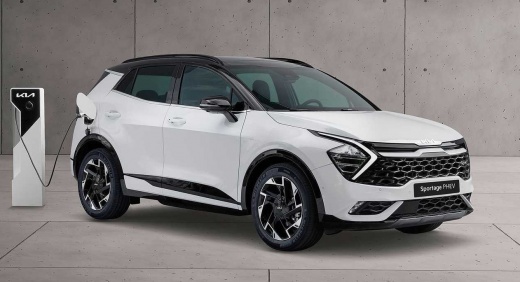
How do you set the time on a Kia Sportage?
Model: Kia Sportage
MK 5, NQ5
- Years:
2021, 2022, 2023, 2024, 2025, 2026
Video tutorial
To set the time on a Kia Sportage, start by turning on the car and accessing the infotainment system. On most models, touch the central screen where the clock appears. Once you open the clock menu, you will see options to change the time and date. Select the hour and use the up and down buttons to adjust it, then do the same for the minutes. If your model allows for automatic time adjustment, make sure the GPS or mobile network synchronization function is activated. When you're done, confirm and the clock will update automatically. If you prefer to do everything manually, you can easily do so by following the same procedure. If you don't feel comfortable doing it yourself, have an expert explain it to you.
Posted on 6 October 2025 by ScegliAuto
Related tutorials
Kia Sportage
(2010-2016 /
MK 3, SL)
To set the time on your Kia Sportage, follow these steps. First, make sure the instrument panel is on. Next, look for the "Setup clock" button on the…

Kia Sportage
(2016-2022 /
QL, MK 4)
To open the fuel flap on a Kia Sportage, exit the vehicle. Unlock the car by pressing the relevant button on the keys. Once unlocked, you will hear a…
Kia Sportage
(2016-2022 /
QL, MK 4)
In today's guide, you will see, in just a few simple steps, the entire procedure necessary to reset the service on a Kia Sportage, a fourth-generatio…
Other guides you may be interested in |
How to open the boot if it is stuck on a Mercedes B-Class?
On the Mercedes B-Class, the boot may become stuck, possibly due to a problem with the control button or the lock actuator. In this case, perform the emergency opening by following the simple procedure shown in this tutorial. First, unlock the locks with the remote control, then open the rear doors and, by operating the indicated lever, lower the backrest of the seat. Next, go inside the boot, locate the indicated gap, and manually unlock the lock using a small screwdriver. by ScegliAuto More videos
|
|
For advertising on this site Write to info@scegliauto.com
ScegliAuto is not responsible for any inaccuracy of the data in the lists. To report any inaccuracy or your business (if you own the business in question), please write to info@scegliauto.com
Number of seconds to generate the page: 0.049
(c) ScegliAuto 2026 - info@scegliauto.com - Privacy policy VAT number: IT01247470535 |
