
|
Do it yourself
| |||
| ||||


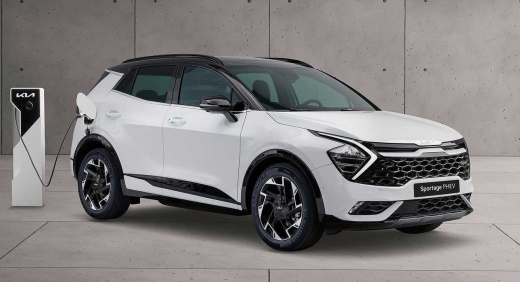
How do you remove the door panel on a KIA SPORTAGE NQ5 2024?
Model: Kia Sportage
MK 5, NQ5
- Years:
2021, 2022, 2023, 2024, 2025, 2026
Video tutorial
Disassembling the door panel of a KIA Sportage NQ5 2024 requires a bit of patience, but with the right approach, it is quite simple. Start by removing the bottom part of the door handle, usually with a small screwdriver or a plastic lever. Then, locate all the hidden screws behind the plastic caps or under the handle trim, and unscrew them with a screwdriver. Once removed, proceed to remove any clips holding the panel in place: these are located along the edges. Use a lever tool to gently apply force without damaging the panel or the paint. After unlocking all the clips, lift the panel and disconnect any electrical connectors for the power windows and sensors. With calm and attention, the job is done! If you do not feel comfortable doing it yourself, contact a trusted workshop.
Posted on 10 October 2025 by ScegliAuto
Related tutorials
Kia Sportage
(2021-2026 /
MK 5, NQ5)
Removing the door panel from a Kia Sportage involves loosening the only two screws that secure it to its housing: first, detach the plastic panel cov…

Kia Sportage
(2021-2026 /
MK 5, NQ5)
Today we will discover the procedure for removing the front door panel on the Kia Sportage. First, open the front door of the vehicle and begin unscr…

Kia Sportage
(2021-2026 /
MK 5, NQ5)
In this new guide for all of you who own the new Kia Sportage, we will discover where the cabin fuse box is located. Simply follow a few simple steps…
Other guides you may be interested in |
How to Reset the AdBlue Warning Light on a Peugeot Boxer
To reset the AdBlue system on a 2018 Peugeot Boxer, follow these steps: Start the engine and ensure the vehicle is parked in a well-ventilated area. Locate the "MENU" button on the dashboard or steering wheel controls. Press and hold the "MENU" button until the menu options appear on the display. Use the arrow buttons or scroll wheel to access the "Vehicle Settings" or "Settings" menu. Select the "AdBlue" or "AdBlue System" option. Look for the "Recharge" or "Reset" option in the AdBlue menu. Once you find the reset option, select it and confirm your choice when prompted. The system will be reset, and a confirmation message may appear on the display. Turn off the engine and wait a few seconds. Restart the engine and check that the AdBlue system has been reset. by ScegliAuto More videos
|
|
For advertising on this site Write to info@scegliauto.com
ScegliAuto is not responsible for any inaccuracy of the data in the lists. To report any inaccuracy or your business (if you own the business in question), please write to info@scegliauto.com
Number of seconds to generate the page: 0.031
(c) ScegliAuto 2026 - info@scegliauto.com - Privacy policy VAT number: IT01247470535 |
