
|
Do it yourself
| |||
| ||||


How to reset the service light on the KTM DUKE
Model: Ktm Duke 390
Video tutorial
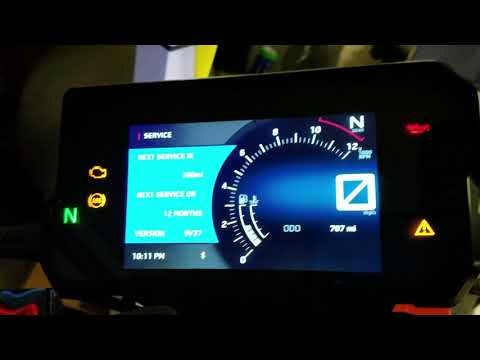
Resetting the service light on the 2017 KTM Duke 390 is a very simple operation, easy to perform, thanks to our short video tutorial that illustrates the steps to follow. The first thing to do is to turn on the ignition and then press the button on the left side of the display, labelled "MODE". The second step is to press the SET button for two seconds. Finally, release the button and switch off the vehicle. Turn on the ignition to check that the light has been successfully reset. If not, you can easily repeat the operation.
Updated on 18 August 2026 by ScegliAuto
Related tutorials
Duke 390
Today's step-by-step instructions will show us how to reset the maintenance service light for the regular oil change of the KTM Duke 390. First, we p…

Duke 390
Before starting, the regular service should already have been performed, and then you need to sit on the rider's seat of your KTM Duke 390. Start by …
Duke 390
In this guide, follow the instructions to reset the maintenance light for the engine oil change on the KTM Duke 390. First, place the bike on a stand…
|
How to Reset the Service Light on the Gilera Nexus 500
This video shows the procedure to reset the service light on the Gilera Nexus when the light remains on after a service. The procedure is straightforward and takes less than a minute. To reset the light, press the mode button and the odo/set button simultaneously. While holding them down, turn the ignition key to the ON position. Once the instruments are on, release the buttons and press the mode button once. The maintenance light will illuminate; hold the mode button for a few seconds to reset it. by ScegliAuto More videos
|
|
For advertising on this site Write to info@scegliauto.com
ScegliAuto is not responsible for any inaccuracy of the data in the lists. To report any inaccuracy or your business (if you own the business in question), please write to info@scegliauto.com
Number of seconds to generate the page: 0.006
(c) ScegliAuto 2026 - info@scegliauto.com - Privacy policy VAT number: IT01247470535 |
