
|
Do it yourself
| |||
| ||||



How to Repair a Leather or Faux Leather Seat in a Lancia Ypsilon
Model: Lancia Ypsilon
Y2, MK 2, 843, Ypsilon 2
- Years:
2003, 2004, 2005, 2006, 2007, 2008, 2009, 2010, 2011
Video tutorial
The damage to this seat is quite extensive, but it can still be repaired, even if the final result is not invisible: it will be unnoticeable to passers-by when exiting the car. Use professional leather repair products from Dambrosiosrl. Start by degreasing the area to be treated, then apply special leather filler in three passes, drying each layer thoroughly with a heat gun. Once perfectly dry, sand the area and carefully go over the seams, as this is a delicate point that tends to tear. Mask off areas that should not be painted, then sand again with very fine paper and apply the first coat of leather primer. Dry with the heat gun and then apply two coats of leather paint. After it has dried completely, finish with a coat of leather polish. Special nozzles are also needed to replicate the texture of leather. This is a professional job.
Updated on 4 August 2026 by ScegliAuto
Related tutorials
Lancia Ypsilon
(1996-2003 /
840, Y1, Ypsilon 1, MK 1)
Before starting, open the front door of your Lancia Ypsilon. Begin by lowering and holding the seat folding handle, then unclip and move the internal…
Lancia Ypsilon
(2011-2023 /
846, Ypsilon 3, Y3, MK 3)
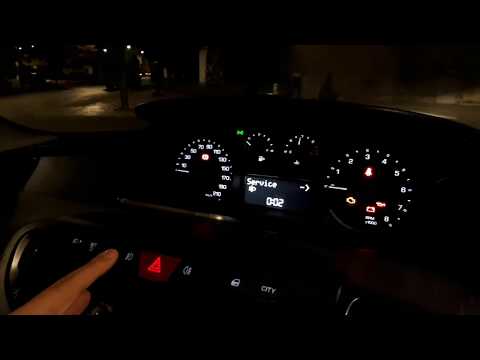
Before you can start, sit in the driver's seat of your Lancia Ypsilon. First, activate the onboard computer and the instrument cluster by turning the…

Lancia Ypsilon
(2003-2011 /
Y2, MK 2, 843, Ypsilon 2)
On the Lancia Ypsilon, you can adjust the front and rear seats by following simple steps to better manage your car. For the front seats, lift the lev…
Other guides you may be interested in
|
How to Reset the AdBlue Warning Light on a Peugeot Boxer
To reset the AdBlue system on a 2018 Peugeot Boxer, follow these steps: Start the engine and ensure the vehicle is parked in a well-ventilated area. Locate the "MENU" button on the dashboard or steering wheel controls. Press and hold the "MENU" button until the menu options appear on the display. Use the arrow buttons or scroll wheel to access the "Vehicle Settings" or "Settings" menu. Select the "AdBlue" or "AdBlue System" option. Look for the "Recharge" or "Reset" option in the AdBlue menu. Once you find the reset option, select it and confirm your choice when prompted. The system will be reset, and a confirmation message may appear on the display. Turn off the engine and wait a few seconds. Restart the engine and check that the AdBlue system has been reset. by ScegliAuto More videos
|
|
For advertising on this site Write to info@scegliauto.com
ScegliAuto is not responsible for any inaccuracy of the data in the lists. To report any inaccuracy or your business (if you own the business in question), please write to info@scegliauto.com
Number of seconds to generate the page: 0.029
(c) ScegliAuto 2026 - info@scegliauto.com - Privacy policy VAT number: IT01247470535 |
