
|
Do it yourself
| |||
| ||||


How do you change the battery of the Lexus CT200H remote control?
In this video, we will see how to change the battery of the Lexus CT200H: first, we remove the emergency key by pulling it from the keychain side. Then, we apply pressure on the side where the brand logo is engraved in order to slide the two halves and expose the electronic part. We will see a compartment with four small screws, which we will unscrew with the help of a watchmaker's screwdriver. Underneath, we find our button battery, a common CR2032 that we can easily find at any supermarket. We close the cover with the four screws and put back the sliding cover. We reinsert the emergency key and the job is done.
Posted on 27 April 2025 by ScegliAuto
Video tutorial
Related tutorials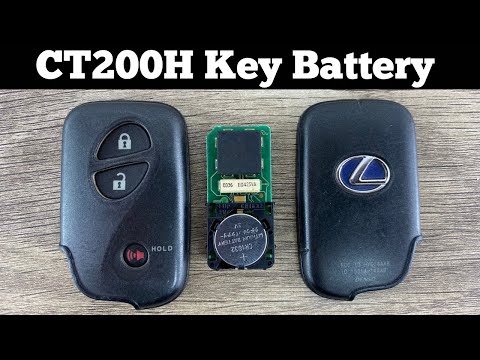
Lexus CT
(2011-2022 /
Zwa10)
Replacing the Lexus CT200H remote control battery is an extremely simple and fast operation, let's see how to proceed in this tutorial. To do this, w…
Lexus CT
(2011-2022 /
Zwa10)
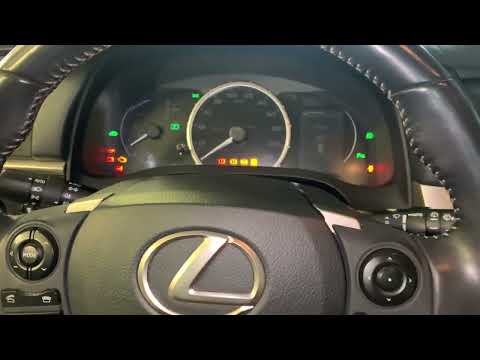
If on the instrument panel of your Lexus CT200H (year 2011-2022) the TPMS warning light (relating to the tire pressure) turns on by mistake and you w…

Lexus CT
(2011-2022 /
Zwa10)
In this video, you will see how to reset the service light on the Lexus CT200H: as with almost all cars, the first thing to do in these cases is to e…
Other guides you may be interested in
|
How to Replace the Gear Knob on a Mini
Want to replace the gear knob on a Mini? Follow these steps for the replacement: first, take the knob in your hands and rotate it left and right until you remove it from the gear stick. Use a plastic lever to disconnect the leather gaiter frame (if it needs replacing). For reassembly: fit the new leather gaiter with the clips (if removed), then take the new knob and push it onto the stick in the centre console until it is secured. Finally, test the movement of the stick in the centre console to ensure the knob is correctly fitted. by ScegliAuto More videos
|

|
For advertising on this site Write to info@scegliauto.com
ScegliAuto is not responsible for any inaccuracy of the data in the lists. To report any inaccuracy or your business (if you own the business in question), please write to info@scegliauto.com
Number of seconds to generate the page: 0.127
(c) ScegliAuto 2026 - info@scegliauto.com - Privacy policy VAT number: IT01247470535 |
