
|
Do it yourself
| |||
| ||||


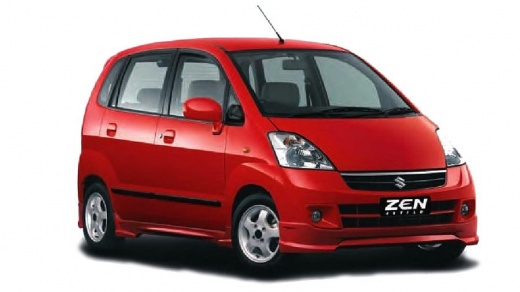
How to Install an Updated Android Screen on the Maruti Estilo
Model: Maruti Estilo
Mf31s, MK 1
- Years:
2006, 2007, 2008, 2009, 2010, 2011, 2012, 2013, 2014
Video tutorial
Learn how to replace the old, outdated radio in the Maruti Estilo with an updated Android screen. We found a similar item on Ali Express for just $28.80. We searched for the code reference mentioned in the video, but it refers to something visually different. Free shipping is available throughout India. Start by removing the trim of the old radio, which is very simple as it is just clipped in. Disconnect the connectors and remove the screws. Pull out the old radio by disconnecting the rear connectors. Take the new screen and connect the new connector to the old one, which is blue. The wires will need to be connected; there are ports as shown in the video. The connections are shown quite clearly in the video, which is explanatory for both new and old connections. Once all the wires are connected, simply clip in the new front panel and test it. It works perfectly and has a whole new appeal.
Updated on 8 June 2026 by ScegliAuto
Related tutorials
Maruti Estilo
(2006-2014 /
Mf31s, MK 1)
To install the armrest on a Maruti Estilo, remove the old armrest from its housing by unscrewing the mounting screws and completely taking it out. Af…

Maruti Estilo
(2006-2014 /
Mf31s, MK 1)
To replace the shift knob on a Maruti Estilo, grasp the old knob and pull it upward while turning it counterclockwise to release it from the top of t…

Maruti Estilo
(2006-2014 /
Mf31s, MK 1)
Easily install a spoiler on the Maruti Estilo. Our YouTubers purchased the piece on Amazon for $30.00 (at the current exchange rate). They bought the…
Other guides you may be interested in |
How to Reset the AdBlue Warning Light on a Peugeot Boxer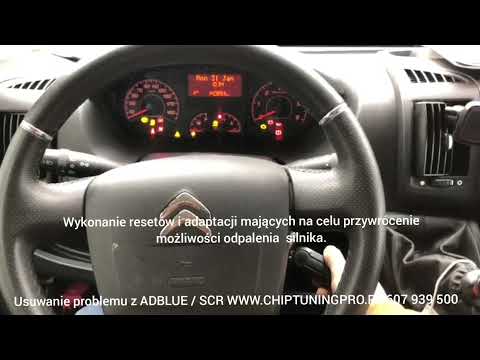
To reset the AdBlue system on a 2018 Peugeot Boxer, follow these steps: Start the engine and ensure the vehicle is parked in a well-ventilated area. Locate the "MENU" button on the dashboard or steering wheel controls. Press and hold the "MENU" button until the menu options appear on the display. Use the arrow buttons or scroll wheel to access the "Vehicle Settings" or "Settings" menu. Select the "AdBlue" or "AdBlue System" option. Look for the "Recharge" or "Reset" option in the AdBlue menu. Once you find the reset option, select it and confirm your choice when prompted. The system will be reset, and a confirmation message may appear on the display. Turn off the engine and wait a few seconds. Restart the engine and check that the AdBlue system has been reset. by ScegliAuto More videos
|
|
For advertising on this site Write to info@scegliauto.com
ScegliAuto is not responsible for any inaccuracy of the data in the lists. To report any inaccuracy or your business (if you own the business in question), please write to info@scegliauto.com
Number of seconds to generate the page: 0.008
(c) ScegliAuto 2026 - info@scegliauto.com - Privacy policy VAT number: IT01247470535 |
