
|
Do it yourself
| |||
| ||||


In the Mercedes A-Class, how do you reset the tire warning light?
Model: Mercedes Classe A
W176
- Years 2012-2018
Even if it were only slightly deflated, the tire pressure warning light on the instrument panel would alert the driver to the problem, thus putting them on alert and allowing them to determine whether it is a flat tire or something else, such as a puncture or a malfunctioning electronic sensor of the same wheel, etc. Once the above has been verified and remedied, we can proceed to cancel the warning light by following this sequence: turn on the instrument panel, press the + button on the right side of the steering wheel, select the Run Flat Restart option, and confirm it to turn off the alarm.
Posted on 24 January 2026 by ScegliAuto
Video tutorial
Related tutorials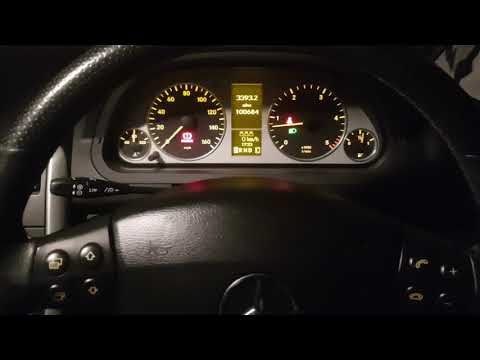
Mercedes Classe A
(2004-2012 /
W169)
This guide shows how to reset the low tire pressure warning message on the Mercedes A-Class. The light activates whenever you perform any operation o…

Mercedes Classe A
(2018-2026 /
W177)
Let's see how to monitor, correct, and reset the tire pressure warning light of the Mercedes A Class 200, thanks to the support provided by the video…

Mercedes Classe A
(2012-2018 /
W176)
To reset the tire pressure warning light on the Mercedes A-Class, you need to inflate the tires to the recommended pressure value: this value is indi…
Other guides you may be interested in
|
How to Set the Clock on the Opel Zafira
Setting the clock to the current Italian time on an Opel Zafira model B is a very simple operation, also made easier by our short instructional video. The first step is to turn on the instrument panel and then press the SETTING button located on the central dashboard. Once inside the menu, use the buttons to navigate to the clock setting. Adjust the hours and minutes and restart the instrument panel. If the clock does not update, it may be necessary to diagnose the radio or the vehicle's control unit. by ScegliAuto More videos
|

|
For advertising on this site Write to info@scegliauto.com
ScegliAuto is not responsible for any inaccuracy of the data in the lists. To report any inaccuracy or your business (if you own the business in question), please write to info@scegliauto.com
Number of seconds to generate the page: 0.120
(c) ScegliAuto 2026 - info@scegliauto.com - Privacy policy VAT number: IT01247470535 |
