
|
Do it yourself
| |||
| ||||


How to Access the Fuse Boxes of the Mercedes CLK
Model: Mercedes Clk
W209, A209, C209
- Years 2002-2010
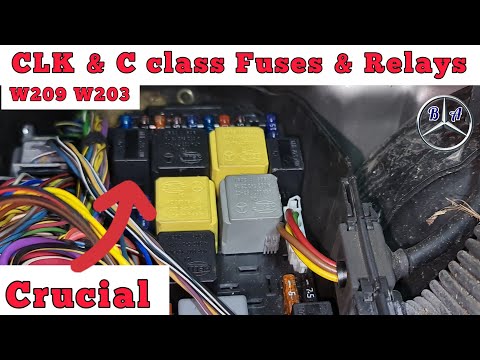
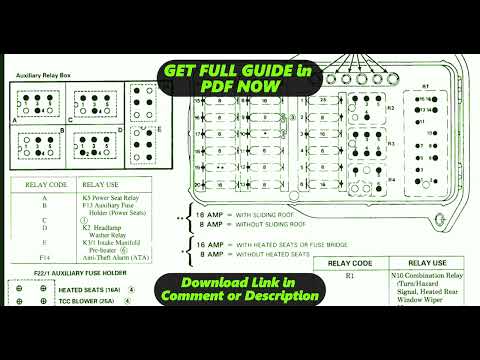
In this brief guide, we will see the instructions on how to access the fuse boxes of the Mercedes CLK, also obtaining the fuse diagram. First, open the bonnet of the vehicle and begin to remove the plastic cover found at the top right, gaining access to the external fuses; the internal fuse box can be found by removing the plastic cover located on the side of the dashboard, driver's side, as shown in the video. At this point, you will usually find the fuse diagram inside the covers, which can also be found in the vehicle's manual.
Posted on 11 February 2026 by ScegliAuto
Video tutorial
Related tutorials
Mercedes Clk
(2002-2010 /
W209, A209, C209)
Everyone, sooner or later, will come across the fuses of their car, either because they have a fault to repair, or because they want to make modifica…
Mercedes Clk
(2002-2010 /
W209, A209, C209)
Fuses in a Mercedes CLK are generally located in various positions, depending on the year of manufacture and the specific configuration of the vehicl…
Mercedes Clk
(1997-2003 /
A208, W208, C208)
The fuses on the Mercedes CLK are located in specific fuse boxes installed in the vehicle: this type of car has three boxes. The first is found under…
Other guides you may be interested in
|
Where is the Spare Wheel in the Peugeot 5008?
This video shows where the spare wheel is located in the Peugeot 5008 and how to access it, useful in case of a puncture. As shown, the wheel is not in the usual boot compartment but underneath it, outside the vehicle. To free the wheel, first gather the tools provided, then open the boot, locate the small indicated hatch, and open it. Next, loosen the bolt just released using the large socket wrench enough to lower the wheel to the ground. by ScegliAuto More videos
|
|
For advertising on this site Write to info@scegliauto.com
ScegliAuto is not responsible for any inaccuracy of the data in the lists. To report any inaccuracy or your business (if you own the business in question), please write to info@scegliauto.com
Number of seconds to generate the page: 0.138
(c) ScegliAuto 2026 - info@scegliauto.com - Privacy policy VAT number: IT01247470535 |
