
|
Do it yourself
| |||
| ||||



Locating the Backup Camera Fuses on the Mercedes-Benz C-Class W205
Model: Mercedes Classe C
W205
- Years:
2014, 2015, 2016, 2017, 2018, 2019, 2020, 2021
Video tutorial
In this video, you will learn how to locate the backup camera fuses on the Mercedes-Benz C-Class W205: on the passenger side, find the main fuse box. You will need to remove a cover located in the footwell, where you will look for fuse MF1 (an integrated module with 6/7 mini fuses rated at 7.5 A and 15 A); one of these controls the backup camera. In the secondary fuse box located in the trunk, lift the trunk carpet and look for a panel on the right side, where you will need to check fuses F17 and F15. Do not trust their appearance, as fuses may look intact but are actually blown. It is better to use a multimeter to check their functionality. If the backup camera does not work, before jumping to conclusions, perform this check, and you will surely save some money: a SAM module easily exceeds $500. If after replacing the fuses the issue persists, check the camera wires, which often get damaged in the rear wheel well.
Posted on 8 March 2026 by ScegliAuto
Related tutorials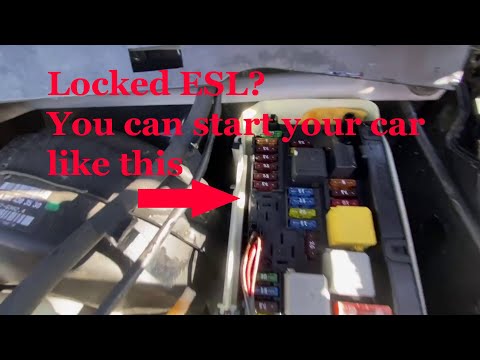
Mercedes Classe C
(2014-2021 /
W205)
.. In this new guide dedicated to your Mercedes C-Class W205 (model year 2014-2021), you will learn how to locate the fuse box that contains all the various.. …

Mercedes Classe C
(2014-2021 /
W205)
.. In this guide for all of you who own a Mercedes-Benz C-Class W205, we will help you step by step to easily find the fuse box located inside the cabin... …

Mercedes Classe C
(2014-2021 /
W205)
The fuses in the Mercedes C-Class are divided among the designated fuse boxes in the vehicle. This model has four: two inside the cabin, one in the t…
ScegliAuto offers an extensive international collection of automotive tutorials available in 12 languages. Each guide combines instructional videos with original explanations written by experienced human editors, along with information about the car models covered.
Other guides you may be interested in
|
How to Reset the Tyre Pressure Warning Light in the Suzuki Swift?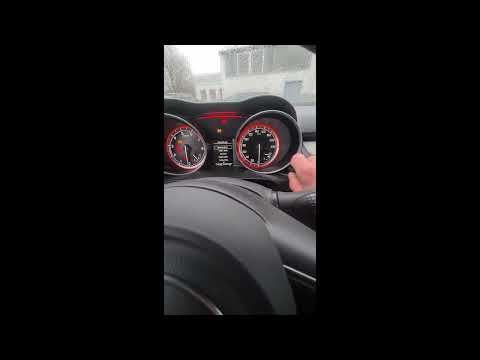
To reset the tyre pressure warning light in the Suzuki Swift, turn on the ignition, then navigate through the menu using the button located on the right side: this button should be rotated to locate the options displayed. You will need to select the option indicating tyre pressure and then select the "Reset" option: this way, the sensors will read the new tyre pressure values. If the tyres have been inflated to the correct pressure, the light will turn off automatically. by ScegliAuto More videos
|
|
For advertising on this site Write to info@scegliauto.com
ScegliAuto is not responsible for any inaccuracy of the data in the lists. To report any inaccuracy or your business (if you own the business in question), please write to info@scegliauto.com
Number of seconds to generate the page: 0.108
(c) ScegliAuto 2026 - info@scegliauto.com - Privacy policy - About us VAT number: IT01247470535 |
