
|
Do it yourself
| |||
| ||||


How to set the time and date on the Toyota Yaris
Model: Toyota Yaris
MK 4
- Years 2020-2026
In a few simple steps, we will see how to set the date and time on the Toyota Yaris, following the instructions below. First of all, we get into the car and start the instrument panel; then we go to the car settings from the central display and then to the clock feature, as shown in the video. From here, it will be possible to set the time, adjusting the hour and minutes; if necessary, we also set the date and both formats, also setting the automatic time via GPS, finally exiting the settings menu to save the changes made.
Posted on 31 October 2025 by ScegliAuto
Video tutorial
Related tutorials
Toyota Yaris
(2020-2026 /
MK 4)
Today we will explain how to adjust the time and date on a 2023 Toyota Yaris Hybrid. To adjust the time from the onboard computer, we must turn on th…

Toyota Yaris
(2020-2026 /
MK 4)
In today's video, you will learn how to adjust the time and date in the Toyota Yaris currently on sale. Unlike other cars, this is not done in the mu…
Toyota Yaris
(2005-2011 /
Xp90)
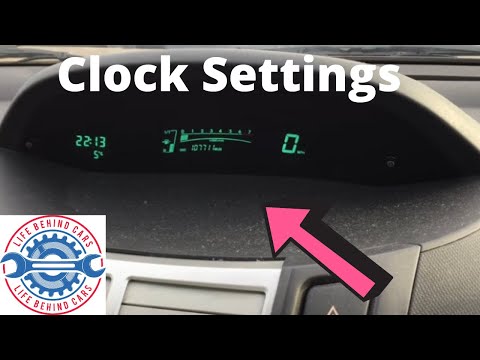
Watch this video to learn how to set the time on a Toyota Yaris. Turn on the instrument cluster using the appropriate remote key; press the button lo…
Other guides you may be interested in
|
How to Reset the Tyre Pressure Light on the Opel Grandland X
While driving, if you notice the tyre pressure warning light coming on, first check the actual inflation pressure of the tyres and, if necessary, restore the pressures recommended by the manufacturer. After restoring the correct pressures, you need to reset the warning light that has illuminated on the instrument cluster. To do this, locate the reset button on the lower central console. Press this button and hold it down for at least 3 seconds, after which the low pressure indication will turn off. by ScegliAuto More videos
|
|
For advertising on this site Write to info@scegliauto.com
ScegliAuto is not responsible for any inaccuracy of the data in the lists. To report any inaccuracy or your business (if you own the business in question), please write to info@scegliauto.com
Number of seconds to generate the page: 0.319
(c) ScegliAuto 2026 - info@scegliauto.com - Privacy policy VAT number: IT01247470535 |
