
|
Do it yourself
| |||
| ||||


How to Reset the Service Light on a Mercedes A-Class?
Model: Mercedes Classe A
W169
- Years 2004-2012
You can completely clear the Service light that appears on the instrument cluster of the Mercedes A-Class by turning on the ignition. Insert the key into the ignition switch and turn it. Next, scroll through the menu using the + and - buttons located on the right side of the steering wheel. This will allow you to select the maintenance option. Once selected, press and hold the button with two rectangles on the left side of the steering wheel. This will completely clear the Service light, and you can then turn off the instrument cluster.
Posted on 7 August 2026 by ScegliAuto
Video tutorial
Related tutorials
Mercedes Classe A
(2018-2026 /
W177)
.. From the display of the Mercedes A-Class, you can clear the Service light by turning on the instrument cluster and navigating through the.. …

Mercedes Classe A
(2012-2018 /
W176)
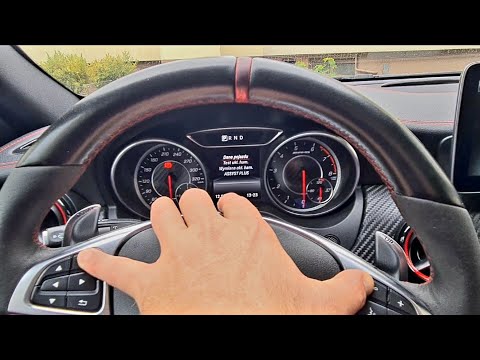
.. To reset the Service light on the Mercedes A-Class, turn on the ignition and navigate through the menu using the directional arrows on the steering.. …
Mercedes Classe A
(2012-2018 /
W176)
.. Inside the Mercedes A-Class, reset the Service light by turning on the instrument cluster and navigating through the menu using.. …
Other guides you may be interested in
|
How to Replace the Heating Radiator in a Volkswagen Golf?
To remove the heating radiator in a Volkswagen Golf, you need to completely dismantle the lower part of the dashboard next to the pedal area: once this panel is removed, you can locate the heating radiator at the bottom of the dashboard. By loosening its fastening screws and disconnecting the fluid passage pipes, you can remove the old radiator and insert the new one. The new radiator must be properly secured and connected, ensuring everything is functioning correctly. by ScegliAuto More videos
|

|
For advertising on this site Write to info@scegliauto.com
ScegliAuto is not responsible for any inaccuracy of the data in the lists. To report any inaccuracy or your business (if you own the business in question), please write to info@scegliauto.com
Number of seconds to generate the page: 0.131
(c) ScegliAuto 2026 - info@scegliauto.com - Privacy policy VAT number: IT01247470535 |
