
|
Do it yourself
| |||
| ||||


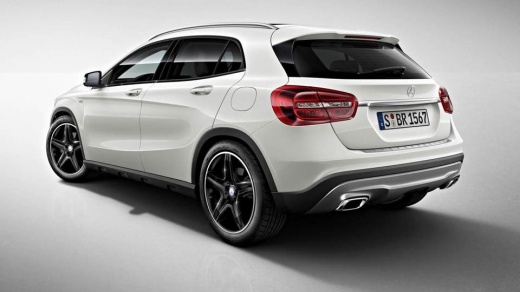
Reset the Service Light on a Mercedes GLA
Model: Mercedes Gla
MK 1, W156
- Years:
2013, 2014, 2015, 2016, 2017, 2018, 2019
Video tutorial
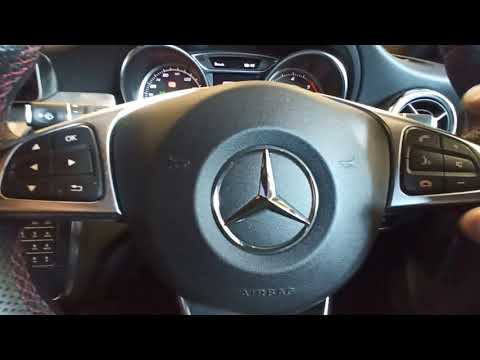
To reset the service light on a Mercedes GLA without going to the mechanic, follow the steps shown in the video. First, turn the key to position 1 and then press the two buttons indicated in the video on the steering wheel controls: the OK button and the button that accepts incoming calls. This will allow you to access the "Assyst Plus" menu, from which you can first select "General Maintenance" and then "Full Service" and finally confirm to complete the service reset procedure on your Mercedes GLA!
Posted on 9 October 2026 by ScegliAuto
Related tutorials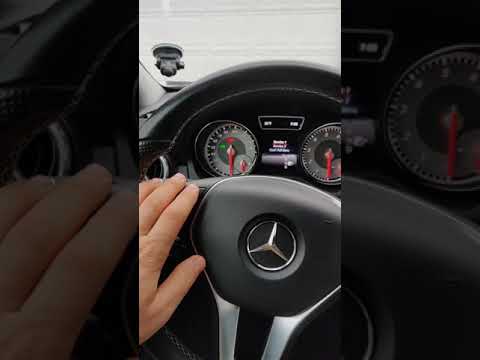
Mercedes Gla
(2013-2019 /
MK 1, W156)
To reset the Service light on the Mercedes GLA, turn on the ignition by inserting the key into the ignition switch. Once the ignition is on, press an…

Mercedes Gla
(2020-2026 /
MK 2, H247)
To clear the Service light on the Mercedes GLA, insert the ignition key into the ignition switch to turn on the dashboard: once it is on, navigate th…
Mercedes Gla
(2013-2019 /
MK 1, W156)
To reset the Service light on the Mercedes GLA, turn on the instrument cluster by rotating the key in the ignition switch. Then, navigate through the…
ScegliAuto offers an extensive international collection of automotive tutorials available in 12 languages. Each guide combines instructional videos with original explanations written by experienced human editors, along with information about the car models covered.
Other guides you may be interested in
|
How do you replace the cabin blower fan on the Peugeot 308?
Open the glovebox on the front passenger side to replace the cabin blower fan on the Peugeot 308. Loosen the screws inside the glovebox to remove it and access the components behind the dashboard. The fan will now be accessible. Undo the screws securing it in place, then disconnect its electrical connectors and remove it. Fit the replacement fan and refit the glovebox. by ScegliAuto More videos
|
|
For advertising on this site Write to info@scegliauto.com
ScegliAuto is not responsible for any inaccuracy of the data in the lists. To report any inaccuracy or your business (if you own the business in question), please write to info@scegliauto.com
Number of seconds to generate the page: 0.088
(c) ScegliAuto 2026 - info@scegliauto.com - Privacy policy - About us VAT number: IT01247470535 |
