
|
Do it yourself
| |||
| ||||


How to Open the Key Shell of a Mercedes?
Model: Mercedes Mercedes Various
Video tutorial
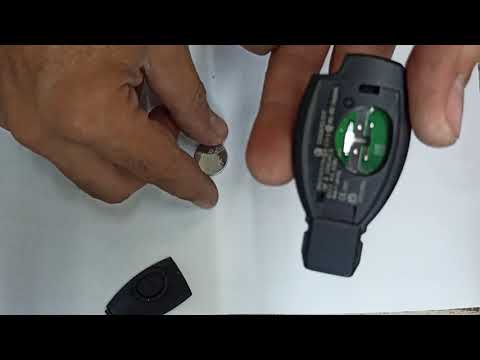
This video guide shows the procedure to open a Mercedes car key. As you can see, this may be useful for performing repairs on the electronic board or replacing the shell with a new one, among other tasks. First, extract the metal clip from the battery compartment, allowing you to remove the compartment itself later. Then, using a small screwdriver, gently pry open the shell and access the aforementioned board, allowing you to carry out any desired operations on it.
Updated on 18 June 2026 by ScegliAuto
Related tutorials
Mercedes Mercedes Various
When the battery of your Mercedes key runs low and you need to change it, this guide will be very useful. Take the car ignition key and remove the me…
Mercedes Mercedes Various
Today, you will learn how to change the battery in your Mercedes key. This type of key is found in many models from the manufacturer, including: Merc…

Mercedes Mercedes Various
Let's see how to replace the shell of a three-button Mercedes key: first, obtain the new shell which can be found on Amazon with the code B0BJ6LJZG1 …
ScegliAuto offers an extensive international collection of automotive tutorials available in 12 languages. Each guide combines instructional videos with original explanations written by experienced human editors, along with information about the car models covered.
Other guides you may be interested in
|
How to Reset the AdBlue Warning Light on a Dacia Duster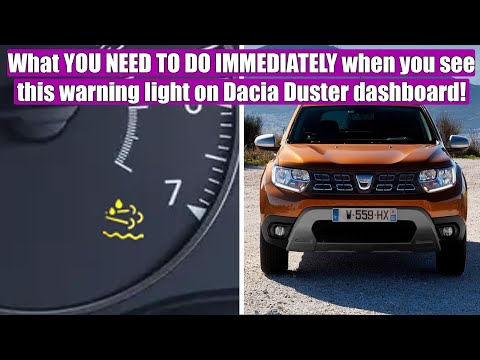
In this video tutorial, you will see how to reset the AdBlue warning light on a Dacia Duster by following a few simple steps. Usually, the AdBlue light appears alongside two other lights: the engine check light and the service light. This light comes on before the AdBlue tank is empty. When the yellow light comes on, refill with additive (when the yellow light is on, there are still two or three litres in the tank, allowing you to drive another 1,500 miles). After refilling the tank with AdBlue, the light should turn off automatically. If you wait too long, the light turns red, and you will be unable to start the engine after stopping the car, preventing you from driving. If the light does not turn off after refilling, you will need to visit a Dacia dealer for an AdBlue software update. by ScegliAuto More videos
|
|
For advertising on this site Write to info@scegliauto.com
ScegliAuto is not responsible for any inaccuracy of the data in the lists. To report any inaccuracy or your business (if you own the business in question), please write to info@scegliauto.com
Number of seconds to generate the page: 0.270
(c) ScegliAuto 2026 - info@scegliauto.com - Privacy policy - About us VAT number: IT01247470535 |
