
|
Do it yourself
| |||
| ||||


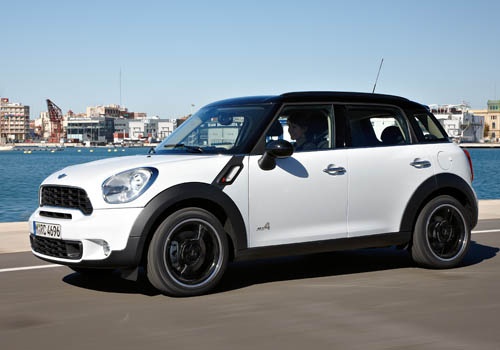
How to Reprogram the Mini One R60 Window for 'One Touch' Operation
Model: Mini Mini
R60, Countryman1
- Years:
2010, 2011, 2012, 2013, 2014, 2015, 2016
Video tutorial
In this video, you will see how to restore the 'One touch' programming functionality of the windows on the Mini One R60: first, turn on the ignition of your vehicle, then press the window button until it reaches the fully closed position; while the glass is going up, keep the button pressed. Do the same (still holding the button) until it reaches the fully open position. This way, you will have memorised both positions and restored the 'One touch' mode. You must now repeat this operation on all four windows of your Mini.
Updated on 25 October 2026 by ScegliAuto
Related tutorials
Mini
(2010-2016 /
R60, Countryman1)
This video shows how easy it is to install the original Mini air freshener in your Mini Countryman R60. This accessory can be found at your Mini deal…

Mini
(2010-2016 /
R60, Countryman1)
The Mini Countryman R60 model has two fuse boxes inside. Today we will specifically talk about fuse box number 2, located inside the cabin. The fuse …

Mini
(2010-2016 /
R60, Countryman1)
In this guide dedicated to your Mini Countryman R60 (2010-2016), follow these simple steps to locate the fuse box. First, switch off the car and lift…
Other guides you may be interested in |
Frequently Asked QuestionsHow to Activate the Automatic Folding and Unfolding of the Wing Mirrors on the Jeep Compass
Follow these brief instructions to activate the automatic folding and unfolding of the external wing mirrors on the Jeep Compass. First, get inside the vehicle and turn on the ignition; then press the button located beneath the mirror glass adjustment to electrically open the mirror, as shown in the video. Pressing the button in the opposite direction will close the mirrors; by holding the button, the mirrors will open and close automatically! by ScegliAuto More videos
|
|
For advertising on this site Write to info@scegliauto.com
ScegliAuto is not responsible for any inaccuracy of the data in the lists. To report any inaccuracy or your business (if you own the business in question), please write to info@scegliauto.com
Number of seconds to generate the page: 0.010
(c) ScegliAuto 2026 - info@scegliauto.com - Privacy policy VAT number: IT01247470535 |
