
|
Do it yourself
| |||
| ||||


How to reset the tire pressure sensor on a Mini Cooper?
Model: Mini Mini
R52, R50, R53
- Years 2001-2007
To reset the tire pressure warning light on a Mini Cooper, turn on the instrument panel without starting the engine. Using the turn signal lever, access the onboard computer menu and navigate through the available options. Look for the voice related to tire pressure monitoring or the TPMS system. Once found, select the option to start the reset and confirm following the instructions displayed on the screen. During this phase, make sure that the tires are inflated to the correct pressure. At the end of the procedure, the warning light will turn off and the system will store the new pressure values.
Posted on 4 July 2025 by ScegliAuto
Video tutorial
Related tutorials
Mini
(2001-2007 /
R52, R50, R53)
If the tire pressure warning light on your Mini Cooper R52 continues to stay on constantly on the instrument panel and you want to manually reset it,…

Mini
(2001-2007 /
R52, R50, R53)
To reset the tire pressure warning light of the Mini Cooper, you need to inflate the tires to the recommended pressure value: this value will be indi…

Mini
(2007-2014 /
R57, R55, R56)
Today's information will show us how to reset the tire pressure warning light on the Mini Cooper; before performing the TPMS sensor reset, it is nece…
Other guides you may be interested in
|
How to Replace the Number Plate Bulb on Citroen C3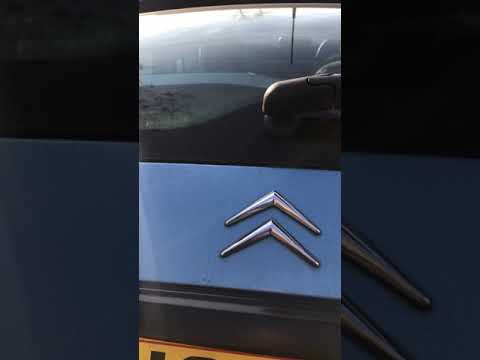
To replace the number plate bulb on a Citroen C3, use a screwdriver or plastic lever to remove the light cover (plastic housing) located in the rear bumper of the car. Once the light cover is removed, extract the bulb holder (using your hands), then disconnect the bulb from it. Fit the new LED bulb (same size and voltage) into the holder, then refit the light cover into the tailgate metal by pressing until the clips lock automatically. Test the correct operation of the previously installed bulb. by ScegliAuto More videos
|
|
For advertising on this site Write to info@scegliauto.com
ScegliAuto is not responsible for any inaccuracy of the data in the lists. To report any inaccuracy or your business (if you own the business in question), please write to info@scegliauto.com
Number of seconds to generate the page: 0.100
(c) ScegliAuto 2026 - info@scegliauto.com - Privacy policy VAT number: IT01247470535 |
