
|
Do it yourself
| |||
| ||||


How to reset the tire pressure light in the Mini Cooper?
Model: Mini Mini
F66
- Years 2023-2026
In this tutorial, we can see how to reset the tire pressure warning light in the Mini Cooper, a very simple and quick operation, to be performed only once the correct pressure of each tire has been restored following the instructions in the manual. First of all, let's go inside the car, then turn on the instrument panel and reach the main screen on the central display. Next, go to "My MINI", "Vehicle status", "Tyre settings", and perform the reset by selecting the option "Perform reset". To complete the procedure, simply restart the vehicle.
Posted on 17 November 2025 by ScegliAuto
Video tutorial
Related tutorials
Mini
(2007-2014 /
R55, R57, R56)
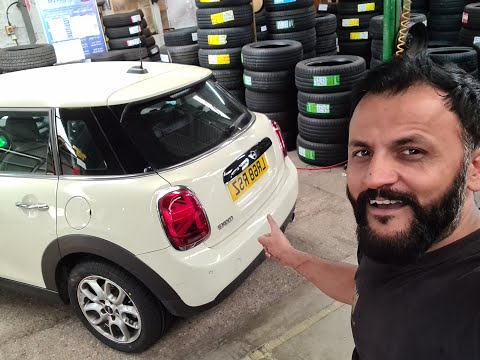
Today's information will show us how to reset the tire pressure warning light on the Mini Cooper; before performing the TPMS sensor reset, it is nece…
Mini
(2017-2023 /
F60, Countryman2)
Let's see in this short guide the steps that will allow us to reset the tire pressure warning light of the Mini Cooper S. Before performing the reset…

Mini
(2023-2026 /
F66)
.. In this tutorial we can see how to reset the tire pressure light in the Mini Cooper, an extremely simple and quick operation, to.. …
Other guides you may be interested in |
How to Disassemble and Remove the Rear Camera of a Mercedes CLA
In this video, see how to disassemble and remove the camera (where the license plate light is located) from the rear hatch of a Mercedes CLA. First, open the rear hatch of the car, then remove the rear license plate. Use a screwdriver to remove the screws on the plastic trim of the hatch. Disconnect the plastic trim of the license plate light from the hatch, and use a screwdriver to remove the retaining clips (located between the hatch metal and the plastic trim). Finally, remove the rear camera located in the hatch (disconnect the power connector of the camera) of the car. For reassembly, proceed in reverse order. by ScegliAuto More videos
|

|
For advertising on this site Write to info@scegliauto.com
ScegliAuto is not responsible for any inaccuracy of the data in the lists. To report any inaccuracy or your business (if you own the business in question), please write to info@scegliauto.com
Number of seconds to generate the page: 0.046
(c) ScegliAuto 2026 - info@scegliauto.com - Privacy policy VAT number: IT01247470535 |
