
|
Do it yourself
| |||
| ||||


How to change the remote control battery of the Mini Cooper
Replacing the battery in the key / remote control of the Mini Cooper is a fairly simple operation. We take a small screwdriver and use it as a lever for opening the lid, of small dimensions, which we find on the back of the key / remote control (corresponds to the side of the remote control, opposite to the one where the keys are). Open the small cover, we find, in the internal part of the same, the battery to be replaced. Always with the same screwdriver, we lever to extract it from its housing and replace it with the new one. Let's put the cover back in its place and check the operation of the remote control. That's it!
Posted on 16 October 2019 by ScegliAuto
Video tutorial
Related tutorials
Mini
(2007-2014 /
R55, R57, R56)
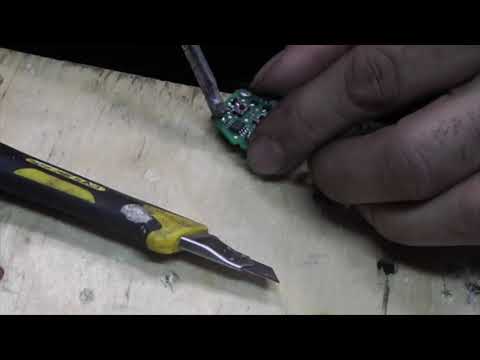
In a few simple steps, we will see how to disassemble and replace the battery of the Mini Cooper key remote. First, take the remote in your hand and …
Mini
(2007-2014 /
R55, R57, R56)
Replacing the Mini Cooper remote control battery is done by using an object that acts as a lever to divide the two halves of the remote control shell…

Mini
(2007-2014 /
R55, R57, R56)
To replace the battery of the Mini Cooper remote control, you will need to use an object that can act as a lever to separate the two halves of the re…
Other guides you may be interested in
|
How to Replace the Door Panels on an Audi A3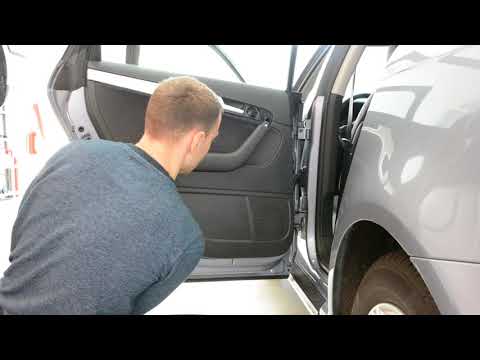
First, open the door in question. Using a plastic trim tool, start lifting the indicated parts in the video, namely the small panel above the armrest, the one near the handle, and the one next to the window switch. This will allow you to unscrew all the bolts behind these panels and proceed to remove the panel by lifting it off the clips that hold it, starting from the bottom. Now, disconnect the connectors at the back, and you're done. Retrace your steps to reassemble the various components. by ScegliAuto More videos
|

|
For advertising on this site Write to info@scegliauto.com
ScegliAuto is not responsible for any inaccuracy of the data in the lists. To report any inaccuracy or your business (if you own the business in question), please write to info@scegliauto.com
Number of seconds to generate the page: 0.152
(c) ScegliAuto 2026 - info@scegliauto.com - Privacy policy VAT number: IT01247470535 |
