
|
Do it yourself
| |||
| ||||


How do you set the clock on the Mini Cooper?
Model: Mini Mini
R56, R57, R55
- Years 2007-2014
It will be possible to change the clock on the Mini Cooper by turning on the instrument panel, inserting the ignition key into the corresponding slot. Once the panel is on, you can navigate through the menu that will appear on the onboard computer. You will need to select the "CONFIG" option and then "TIME": at this point, in the screen that will appear next, you can select the "MIN" and "HRS" to modify the minutes and hours, respectively. After making the changes, you can return to the initial screen to verify that the change has been made.
Posted on 9 January 2026 by ScegliAuto
Video tutorial
Related tutorials
Mini
(2001-2007 /
R52, R50, R53)
Today we will explain how to adjust the clock on the display of a 2001 Mini Cooper model R50 independently by following simple and quick steps. Turn …

Mini
(2001-2007 /
R52, R50, R53)
To adjust the clock on the Mini Cooper, you need to turn on the instrument panel by inserting the ignition key into the corresponding slot: once it i…

Mini
(2001-2007 /
R52, R50, R53)
In a few simple steps, we will see how to adjust the clock on the display of the Mini Cooper's instrument panel. First, get into the car and turn on …
Other guides you may be interested in
|
How to Reset the Tyre Pressure Indicator on a Jeep Wrangler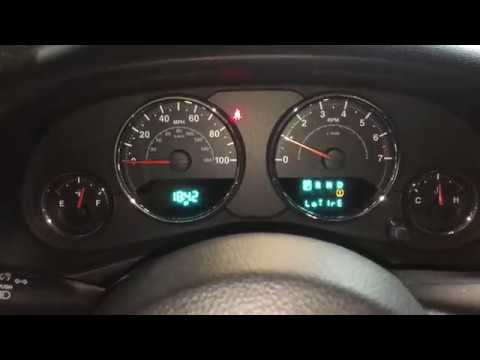
This procedure does not require any special tools or skills. After starting your vehicle and noticing the indicator on the dashboard display, simply open the driver's side door to get the correct pressure settings for both front and rear tyres. Inflate your tyres to the indicated pressures, then restart the vehicle's onboard computer. If the indicator continues to flash, contact a specialist to check the relevant sensor. by ScegliAuto More videos
|

|
For advertising on this site Write to info@scegliauto.com
ScegliAuto is not responsible for any inaccuracy of the data in the lists. To report any inaccuracy or your business (if you own the business in question), please write to info@scegliauto.com
Number of seconds to generate the page: 0.169
(c) ScegliAuto 2026 - info@scegliauto.com - Privacy policy VAT number: IT01247470535 |
