
|
Do it yourself
| |||
| ||||


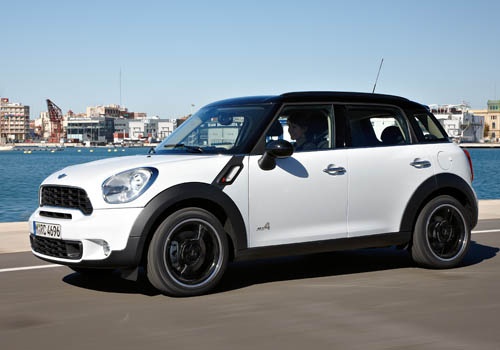
How to Replace the Xenon Bulb on a Mini Countryman R60
Model: Mini Mini
R60, Countryman1
- Years:
2010, 2011, 2012, 2013, 2014, 2015, 2016
Video tutorial
If the xenon bulb on your Mini Countryman R60 starts to flicker, emits a purple light, or does not turn on at all, it is time to replace it. Let’s see how to do this in this guide. First, open the bonnet, disconnect the electrical connector from the headlamp, and unclip the cover to access the bulb; disconnect the cable and turn the ballast counterclockwise to remove the bulb. At this point, install the new bulb by turning it clockwise. Now reconnect the cable to the ballast, refit the cover ensuring the lower pins are properly inserted; reconnect the electrical connector to the headlamp and check the correct operation.
Updated on 18 April 2026 by ScegliAuto
Related tutorials
Mini
(2010-2016 /
R60, Countryman1)
In this guide dedicated to your Mini Countryman R60 (2010-2016), follow these simple steps to locate the fuse box. First, switch off the car and lift…

Mini
(2010-2016 /
R60, Countryman1)
In this new guide aimed at all of you who own a Mini Countryman R60, we will explain how you can manually change the displayed time. First of all, st…

Mini
(2010-2016 /
R60, Countryman1)
In this new guide for Mini Countryman R60 owners (2010-2016), we will describe step by step all the necessary steps to replace the cabin air filter. …
Other guides you may be interested in |
How to Activate the Automatic Folding and Unfolding of the Wing Mirrors on the Jeep Compass
Follow these brief instructions to activate the automatic folding and unfolding of the external wing mirrors on the Jeep Compass. First, get inside the vehicle and turn on the ignition; then press the button located beneath the mirror glass adjustment to electrically open the mirror, as shown in the video. Pressing the button in the opposite direction will close the mirrors; by holding the button, the mirrors will open and close automatically! by ScegliAuto More videos
|
|
For advertising on this site Write to info@scegliauto.com
ScegliAuto is not responsible for any inaccuracy of the data in the lists. To report any inaccuracy or your business (if you own the business in question), please write to info@scegliauto.com
Number of seconds to generate the page: 0.052
(c) ScegliAuto 2026 - info@scegliauto.com - Privacy policy VAT number: IT01247470535 |
