
|
Do it yourself
| |||
| ||||


How to change the battery of the Mini One
Model: Mini Mini
R52, R50, R53
- Years 2001-2007
Let's see in this guide the procedure that will allow us to disassemble and replace the battery of the Mini One, in simple and quick steps. First we open the engine hood and start by removing the plastic battery cover; then disconnect the two battery terminals (positive and negative pole) and unscrew the two screws of the central battery bracket, using a 10 mm socket wrench, as shown in the video. At this point we remove and replace the battery with the new one, of the right type and having the same amperage; then let's reassemble everything!
Posted on 26 February 2022 by ScegliAuto
Video tutorial
Related tutorials
Mini
(2014-2023 /
F55, F54, F57, F56)
In a few simple steps, we will see how to change the battery of the Mini Cooper key remote. First, take the remote in hand and start by removing the …

Mini
(2017-2023 /
Countryman2, F60)
In the video in question, we see how to replace the battery of the remote key of a Mini Cooper car. The first step to take is to remove the metal key…

Mini
(2001-2007 /
R52, R50, R53)
Let's see how to change the battery of the Mini R50: we start by opening the hood, the battery is located on the right side of the engine, and we wil…
Other guides you may be interested in
|
Frequently Asked QuestionsResetting the Tyre Pressure Light on a Fiat 500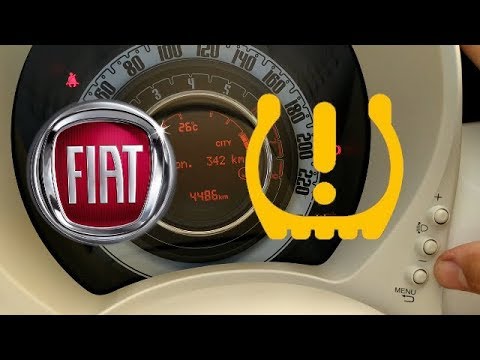
In this brief and simple video tutorial, you will learn how to reset the tyre pressure warning light on a Fiat 500. First, get into your vehicle and navigate to the menu by pressing the appropriate button: go to the tyre pressure option and click again. Then click 'yes' again, and it will automatically perform the procedure to reset the tyre pressure warning light! Remember, before carrying out this operation, check for any faults with the tyres: resolve the issue and then reset the light! by ScegliAuto More videos
|
|
For advertising on this site Write to info@scegliauto.com
ScegliAuto is not responsible for any inaccuracy of the data in the lists. To report any inaccuracy or your business (if you own the business in question), please write to info@scegliauto.com
Number of seconds to generate the page: 0.086
(c) ScegliAuto 2026 - info@scegliauto.com - Privacy policy VAT number: IT01247470535 |
