
|
Do it yourself
| |||
| ||||


How to replace the battery in the Mini Cooper?
Model: Mini Mini
R56, R57, R55
- Years 2007-2014
In this tutorial we can see how to replace the battery in the Mini Cooper, a very simple operation. Before proceeding, make sure that the key is not inserted in order to operate in complete safety. We start by opening the bonnet, after which we remove the large gasket and disassemble the right plastic plate, unscrewing the relative bolts with a 10mm wrench. Once this is done, unscrew the bolt of the lower fixing bracket and disconnect both terminals, always starting with the negative one. At this point, we can extract the old battery from its housing and mount the replacement following the reverse procedure.
Posted on 13 June 2022 by ScegliAuto
Video tutorial
Related tutorials
Mini
(2007-2014 /
R56, R57, R55)
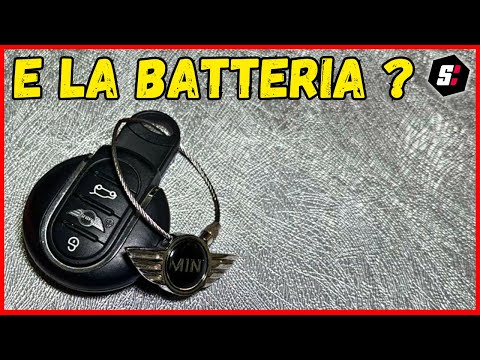
Good morning, today's goal is to replace the battery of our Mini Cooper key. Let's start by unhooking and removing the back cover of the key, leverag…
Mini
(2001-2007 /
R52, R50, R53)
To replace the battery of the Mini Cooper remote control, you need to use an object like a screwdriver to pry open the back of the device. This will …

Mini
(2001-2007 /
R52, R50, R53)
The battery of our Mini Cooper is located inside the engine compartment. To perform the replacement, we start by opening the front hood. Once the hoo…
Other guides you may be interested in
|
Frequently Asked QuestionsHow to Use the Radio Navigator of a Hyundai Tucson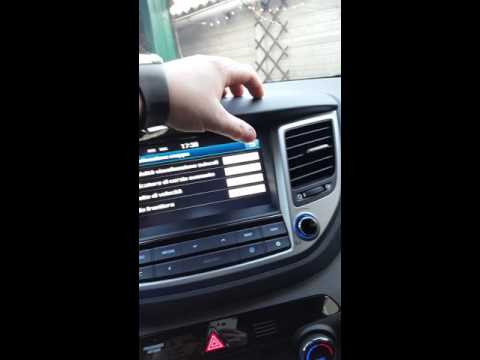
This instructional video demonstrates how to use the navigator and the information from the radio/navigator of the Hyundai Tucson. Pressing the power button on the radio will display the navigator screen with all navigation information. Below the radio display, there are manual control buttons for the stereo (a figurative button where if removed there is the SD card slot and a reset button beside it). The touch navigation screen is clear and very intuitive, easy to use even for watching videos. Always make the necessary settings for the navigator/radio while the vehicle is stationary. by ScegliAuto More videos
|

|
For advertising on this site Write to info@scegliauto.com
ScegliAuto is not responsible for any inaccuracy of the data in the lists. To report any inaccuracy or your business (if you own the business in question), please write to info@scegliauto.com
Number of seconds to generate the page: 0.152
(c) ScegliAuto 2026 - info@scegliauto.com - Privacy policy VAT number: IT01247470535 |
