
|
Do it yourself
| |||
| ||||


How to reset the tire warning light in the Mini Cooper?
Model: Mini Mini
R55, R57, R56
- Years 2007-2014
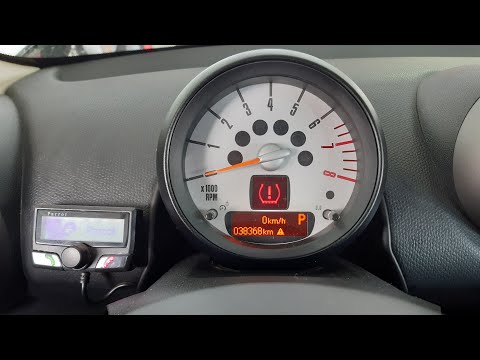
In this tutorial we can see how to reset the tire warning light in the Mini Cooper, an operation to be carried out after restoring the correct pressure of each tire, for example following a puncture. To do this, insert the key and turn on the instrument panel, then hold down the "BC" button located at the end of the left lever. Once in the maintenance menu, scroll through the various settings available and, having reached the tire icon, press and hold the same button to complete the reset. Then we restart the instrument panel and check that the procedure has been successful.
Posted on 11 October 2022 by ScegliAuto
Video tutorial
Related tutorials
Mini
(2014-2023 /
F55, F56, F57, F54)
In this tutorial, we can see how to reset the tire pressure warning light in the Mini Cooper, an extremely simple and quick operation, to be reset on…
Mini
(2010-2016 /
R60, Countryman1)
In this tutorial we can see how to reset the tire warning light on the Mini Cooper, a very simple and quick operation, to be performed only after res…

Mini
(2001-2007 /
R53, R50, R52)
If the tire pressure warning light on your Mini Cooper R52 continues to stay on constantly on the instrument panel and you want to manually reset it,…
Other guides you may be interested in
|
How to Remove the DPF on a Citroen C4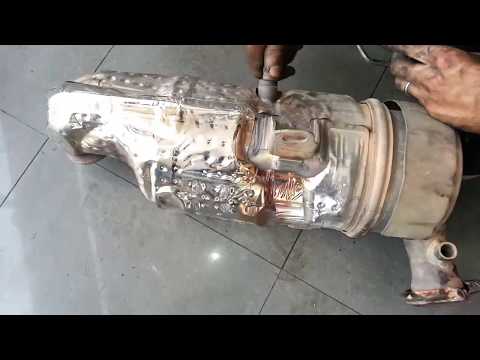
Watch this video on how to remove the DPF from a Citroen C4. Lift the engine bonnet and secure it, then use a spanner to unscrew the locking bolt of the DPF sensor, and remove the securing pins. Once the part is removed from its location, use a screwdriver to disconnect the various wiring and pipes connected to the DPF. Remove the various components of the DPF and clean them with a suitable mechanical parts cleaning product. Once the part has been refurbished, assemble the pieces together. Finally, refit the DPF in the engine compartment, along with all the pins and associated parts. by ScegliAuto More videos
|

|
For advertising on this site Write to info@scegliauto.com
ScegliAuto is not responsible for any inaccuracy of the data in the lists. To report any inaccuracy or your business (if you own the business in question), please write to info@scegliauto.com
Number of seconds to generate the page: 0.087
(c) ScegliAuto 2026 - info@scegliauto.com - Privacy policy VAT number: IT01247470535 |
