
|
Do it yourself
| |||
| ||||


How to Remove the Instrument Cluster of the Mini Cooper
Model: Mini Mini
R56, R55, R57
- Years 2007-2014
This guide will show you how to remove and replace the instrument cluster of the Mini Cooper dashboard. First, get inside the vehicle and start unscrewing the two screws found on the air vent on the upper part of the dashboard; then remove the plastic cover on the passenger and driver sides, followed by unscrewing the screws of the instrument cluster, as shown in the video. At this point, disconnect the electrical connector of the cluster to remove it, replacing it with a new one if necessary; refit the cluster and all previously removed dashboard components!
Updated on 16 September 2026 by ScegliAuto
Video tutorial
Related tutorials
Mini
(2007-2014 /
R56, R55, R57)
In this guide, we will see the instructions that will allow us to disassemble and replace the entire dashboard of the Mini Cooper. First, let's get i…

Mini
(2010-2016 /
Countryman1, R60)
Programming a new remote for the Mini Cooper is a somewhat complicated task best left to a professional. To program the remote, you must completely d…

Mini
(2001-2007 /
R53, R52, R50)
In this video tutorial, you will learn how to remove the window regulator mechanism on a second-generation Mini Cooper S. First, open the front door …
Other guides you may be interested in
|
How to Open the Fuel Cap of the Volkswagen Jetta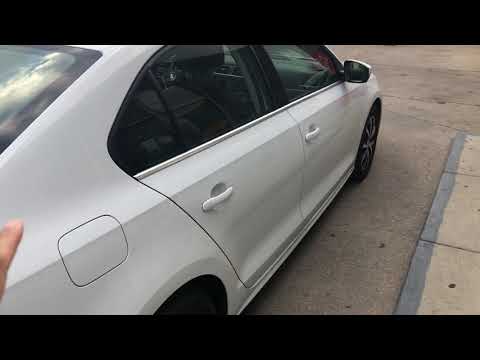
When you need to refuel this vehicle, first open the fuel filler flap. Follow these simple instructions, and you can also watch the video for more details. First, unlock the central locking to open the flaps. Then, press the fuel cap with your hand to unlock it and open it. Underneath, you will find the fuel cap, which you need to unscrew counterclockwise. At this point, you can proceed to refuel. by ScegliAuto More videos
|

|
For advertising on this site Write to info@scegliauto.com
ScegliAuto is not responsible for any inaccuracy of the data in the lists. To report any inaccuracy or your business (if you own the business in question), please write to info@scegliauto.com
Number of seconds to generate the page: 0.116
(c) ScegliAuto 2026 - info@scegliauto.com - Privacy policy VAT number: IT01247470535 |
