
|
Do it yourself
| |||
| ||||


How to reset the brake service in the Mini Cooper?
Model: Mini Mini
Countryman2, F60
- Years 2017-2023
In this tutorial, we can see how to reset the brake service in the Mini Cooper, an extremely simple and quick operation, to be carried out only after completing the required scheduled maintenance work. First of all, let's go inside the cockpit, then turn on the instrument panel and, using the knob on the central console, go to the vehicle settings menu. Then enter "Vehicle status", "Service required", select the service to reset and hold down the button on the back of the dashboard. Finally, restart the vehicle.
Posted on 19 May 2024 by ScegliAuto
Video tutorial
Related tutorials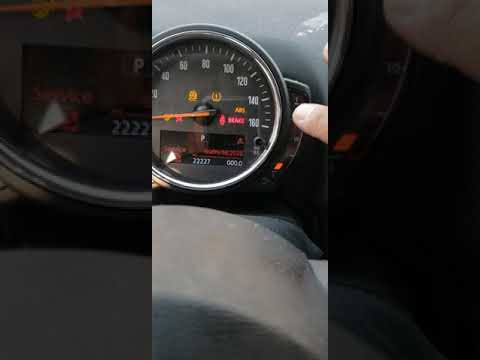
Mini
(2007-2014 /
R56, R57, R55)
In this video, we see how to reset the brake light on the Mini Cooper: we need to turn the switch located on the center console. It is the one in the…
Mini
(2010-2016 /
Countryman1, R60)
Resetting the brake warning light on Mini Cooper is extremely simple, as well as resetting any other warning light that may appear on the panel (for …

Mini
(2014-2023 /
F57, F56, F55, F54)
.. In this tutorial, we can see how to reset the brake service in the Mini Cooper, an extremely simple and quick operation, to be carried.. …
Other guides you may be interested in
|
How to Replace the Timing Belt on a Lancia Delta
How do you replace the timing belt on a Lancia Delta? Lift the car on a column lift. Open the bonnet, remove the engine soundproofing panel and the metal timing belt cover. Using a suitable spanner, loosen the tensioner pulley and slide the belt off its seat. After fitting the new belt, use the spanner to tension the tensioner pulley, tightening until the belt has the correct tension (as previously installed). Finally, check the tensioner and the belt itself, and tighten everything with a socket wrench. by ScegliAuto More videos
|

|
For advertising on this site Write to info@scegliauto.com
ScegliAuto is not responsible for any inaccuracy of the data in the lists. To report any inaccuracy or your business (if you own the business in question), please write to info@scegliauto.com
Number of seconds to generate the page: 0.046
(c) ScegliAuto 2026 - info@scegliauto.com - Privacy policy VAT number: IT01247470535 |
