
|
Do it yourself
| |||
| ||||


How do you remove the chrome handle of the Mini Cooper R53?
Model: Mini Mini
R52, R50, R53
- Years 2001-2007
In this video we can see how to remove the chrome handle of the door of the Mini R53: the youtuber shows us how it is done with a small metal screwdriver, but if we want to make sure not to scratch the bodywork in any way, we will have to use a plastic spatula, with which to gently press the chrome part, in order to remove it from its housing: we will have to aim at the inner part of the handle, where there is (or should be) the lock. Let's snap it and push it gently forward; be very careful not to break the triangular part at the bottom.
Posted on 28 May 2024 by ScegliAuto
Video tutorial
Related tutorials
Mini
(2001-2007 /
R52, R50, R53)
The service belt refers, regardless of the car model, to the belt that allows the alternator, water pump, and air conditioner to function. In the Min…
Mini
(2001-2007 /
R52, R50, R53)
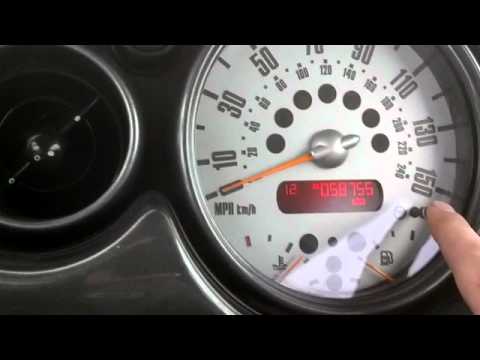
In case of incorrect time displayed on the small display of your Mini Cooper R53 (year 2001-2007), you can easily modify it manually by following the…

Mini
(2001-2007 /
R52, R50, R53)
In this video tutorial we will see how to remove and replace the lock module on the Mini One and on the Cooper, in the R50 and R53 versions. First we…
Other guides you may be interested in
|
How to Change the Key Fob Battery on a Golf 7
Replacing the battery in the key fob is very simple. Let's see how to do it on a Golf key. Take your key fob and press the button to release the metal key. Use a screwdriver to pry between the key cover and the top plastic cap. Remove the worn battery with a screwdriver, take a new one of the same size and voltage. Refit the cover onto the key fob, pressing until you hear it click into place. Finally, close the metal key back into the fob. Check that the key fob functions correctly. by ScegliAuto More videos
|
|
For advertising on this site Write to info@scegliauto.com
ScegliAuto is not responsible for any inaccuracy of the data in the lists. To report any inaccuracy or your business (if you own the business in question), please write to info@scegliauto.com
Number of seconds to generate the page: 0.062
(c) ScegliAuto 2026 - info@scegliauto.com - Privacy policy VAT number: IT01247470535 |
