
|
Do it yourself
| |||
| ||||


How to Remove the Instrument Cluster on Mitsubishi Lancer
Model: Mitsubishi Lancer
MK 8
- Years 2000-2006
Is the instrument cluster broken? Is it no longer functioning? Let's see how to remove the instrument cluster from the Lancer. Unscrew the securing screws of the trim around the instrument cluster, and use a lever to remove the trim. Unscrew the side screws, remove the instrument cluster and disconnect the power connectors. Install the new instrument cluster, connecting the electrical connector, and screw in the screws for the cluster and the trim plastics (screw in the securing screws). Test the operation of the new instrument cluster (turn on the ignition to check the cluster), and turn on the illumination lights to verify brightness.
Updated on 19 March 2026 by ScegliAuto
Video tutorial
Related tutorials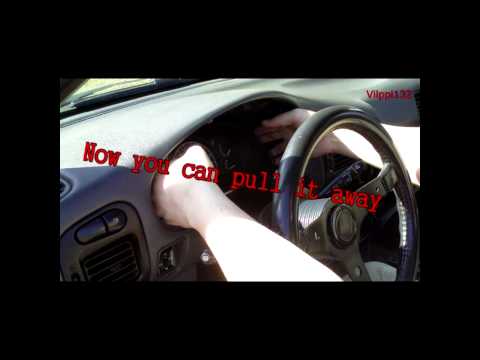
Mitsubishi Lancer
(1995-2000 /
MK 7)
Is the instrument cluster faulty? Let's see how to remove the instrument cluster from a Mitsubishi Lancer. Unscrew the securing screws of the trim ar…

Mitsubishi Lancer
Fitting tuning eyelids on front headlights. …
Mitsubishi Lancer
(2007-2020 /
MK 9)
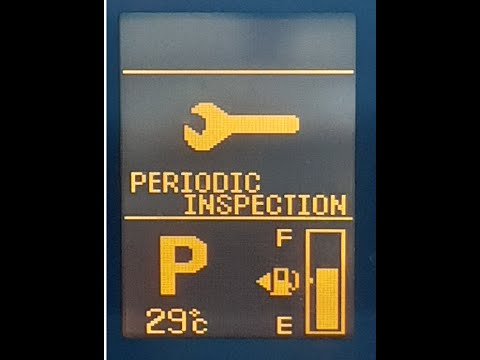
To reset the Service light on a Mitsubishi Lancer, turn on the ignition by rotating the key in the ignition switch. Once the dashboard lights up, pre…
Other guides you may be interested in
|
Where is the Spare Wheel in the Peugeot 5008?
This video shows where the spare wheel is located in the Peugeot 5008 and how to access it, useful in case of a puncture. As shown, the wheel is not in the usual boot compartment but underneath it, outside the vehicle. To free the wheel, first gather the tools provided, then open the boot, locate the small indicated hatch, and open it. Next, loosen the bolt just released using the large socket wrench enough to lower the wheel to the ground. by ScegliAuto More videos
|
|
For advertising on this site Write to info@scegliauto.com
ScegliAuto is not responsible for any inaccuracy of the data in the lists. To report any inaccuracy or your business (if you own the business in question), please write to info@scegliauto.com
Number of seconds to generate the page: 0.099
(c) ScegliAuto 2026 - info@scegliauto.com - Privacy policy VAT number: IT01247470535 |
