
|
Do it yourself
| |||
| ||||


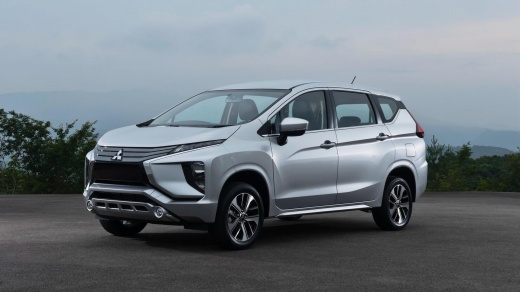
How to Change a Headlight Bulb on the Mitsubishi Xpander
Model: Mitsubishi Xpander
Nc1w, Nc2w, MK 1, Ne3w
- Years:
2017, 2018, 2019, 2020, 2021, 2022, 2023, 2024, 2025, 2026
Video tutorial
If you need to replace a headlight bulb on this vehicle model, you will find the methods and steps to follow in the description below and also in the video. First, open the hood and locate the headlight assembly that contains the bulb to be replaced. Reach behind the headlight to remove the plastic cover by pulling it towards you, making sure to disconnect the electrical connector first. Inside the headlight, you will find the bulb secured by a steel clip that you will need to unclip. Remove the bulb and replace it with the new one, being careful not to touch the bulb with your fingers. Then, reattach the steel clip, reposition the cover, and finally reconnect the electrical connector.
Updated on 17 July 2026 by ScegliAuto
Related tutorials
Mitsubishi Xpander
(2017-2026 /
Nc1w, Nc2w, MK 1, Ne3w)
Today, we will show you how to reset the service light on a Mitsubishi Xpander by yourself. The reset procedure is quite simple. Turn on the instrume…

Mitsubishi Xpander
(2017-2026 /
Nc1w, Nc2w, MK 1, Ne3w)
It will be possible to completely reset the Service light of the Mitsubishi Xpander by holding down the button located in the bottom right of the cen…

Mitsubishi Xpander
(2017-2026 /
Nc1w, Nc2w, MK 1, Ne3w)
To reset the service light on a Mitsubishi Xpander, insert the key into the ignition without starting the engine and use the onboard computer button …
ScegliAuto offers an extensive international collection of automotive tutorials available in 12 languages. Each guide combines instructional videos with original explanations written by experienced human editors, along with information about the car models covered.
Other guides you may be interested in
|
How to Reset the Tire Pressure Light on the Land Rover Range Rover Evoque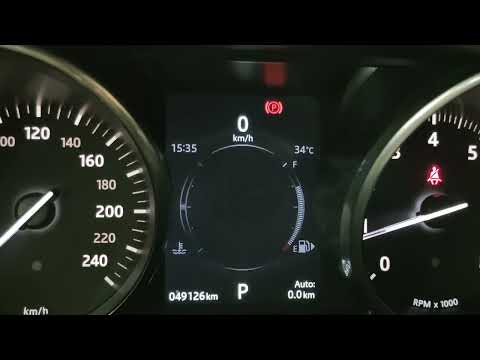
Today, let's go through the steps to reset the tire pressure light on the Land Rover Range Rover Evoque. First, get in the vehicle and turn on the ignition; then navigate to the settings on the onboard computer and select the tire pressure option to view the values, as shown in the video. At this point, restore the correct pressure in all four tires to clear the tire pressure warning light that appears on the instrument cluster! by ScegliAuto More videos
|
|
For advertising on this site Write to info@scegliauto.com
ScegliAuto is not responsible for any inaccuracy of the data in the lists. To report any inaccuracy or your business (if you own the business in question), please write to info@scegliauto.com
Number of seconds to generate the page: 0.067
(c) ScegliAuto 2026 - info@scegliauto.com - Privacy policy - About us VAT number: IT01247470535 |
