
|
Do it yourself
| |||
| ||||


Nissan Pulsar - Video guides Nissan Pulsar (2014-2018 / MK 1)
How to Reset the Service Light on a Nissan Pulsar You can reset the service light displayed on the Nissan Pulsar by inserting the ignition key into the lock and turning on the display. Once activated, press …Read all… Posted on 11 September 2026 by ScegliAuto  Nissan Pulsar (2014-2018 / MK 1)
How to Reset the Service Light on the 2017 Nissan Pulsar? Today, I will explain how to reset the service light on a 2017 Nissan Pulsar. Turn on the instrument cluster and press the menu button located on the steering …Read all… Posted on 4 August 2026 by ScegliAuto  Nissan Pulsar (2014-2018 / MK 1)
How to Replace the Cabin Air Filter on a 2016 Nissan Pulsar In the following video tutorial, you will learn how to independently replace the cabin air filter on a 2016 Nissan Pulsar. To carry out the replacement, remove …Read all… Posted on 5 June 2026 by ScegliAuto  Nissan Pulsar (2014-2018 / MK 1)
How to change the air filter of the Nissan Pulsar DIY On the Nissan Pulsar, the replacement of the engine air filter is done from the engine compartment by accessing the air filter box (airbox), which is …Read all… Posted on 24 December 2025 by ScegliAuto  Nissan Pulsar (2014-2018 / MK 1)
How do you reset the tire pressure light of the Nissan Pulsar? It will be possible to completely reset the tire pressure warning light of the Nissan Pulsar by inflating the tires until they are brought back to the …Read all… Posted on 7 November 2025 by ScegliAuto  Nissan Pulsar (2014-2018 / MK 1)
How to reset the service indicator light on the Nissan Pulsar In this video, we will see how to reset the service light on the Nissan Pulsar: turn on the ignition, and use the buttons on the steering wheel (or the control …Read all… Posted on 24 August 2025 by ScegliAuto  Nissan Pulsar (2014-2018 / MK 1)
How to restore the service light on the Nissan Pulsar In this article, we will see how to restore the service light of the Nissan Pulsar. To restore this light, first start the dashboard, then use the appropriate …Read all… Posted on 22 August 2025 by ScegliAuto  Nissan Pulsar (2014-2018 / MK 1)
How to reset the tire pressure sensor on a Nissan Pulsar? To reset the tire pressure warning light of a Nissan Pulsar, turn on the ignition without starting the engine and use the buttons on the steering wheel to …Read all… Posted on 4 July 2025 by ScegliAuto  Nissan Pulsar (2014-2018 / MK 1)
How do you reset the Service light on the Nissan Pulsar? You can completely remove the Service indicator that is shown on the instrument panel of the Nissan Pulsar by inserting the ignition key into the ignition …Read all… Posted on 19 June 2025 by ScegliAuto  Nissan Pulsar (2014-2018 / MK 1)
How to reset the tire pressure light on a Nissan Pulsar? To reset the tire pressure light on a Nissan Pulsar, turn on the instrument panel without starting the engine and use the buttons on the steering wheel to …Read all… Posted on 4 February 2026 by ScegliAuto  Nissan Pulsar (2014-2018 / MK 1)
How to reset the service and import the expiration on the Nissan Pulsar In this video we can see how to reset the service and tire pressure on a Nissan Pulsar: we start with the service: turn on the ignition and then we will need …Read all… Posted on 10 December 2024 by ScegliAuto  Nissan Pulsar (2014-2018 / MK 1)
How do you reset the tire pressure light on the Nissan Pulsar? In order to reset the tire pressure warning light of the Nissan Pulsar, you need to inflate the tires until they reach the recommended pressure value: this …Read all… Posted on 25 November 2024 by ScegliAuto  Nissan Pulsar (2014-2018 / MK 1)
Resetting the Tyre Pressure Warning Light on the Nissan Pulsar These simple steps will allow you to reset the tyre pressure warning light and recalibrate the TPMS sensors on the Nissan Pulsar. Before performing the reset, …Read all… Posted on 4 November 2026 by ScegliAuto  Nissan Pulsar (2000-2005 / N16)
How to Remove the Rear Seats from the Nissan Pulsar Today's steps will show you how to remove and replace the rear bench and backrests of the Nissan Pulsar. First, open the rear doors and begin to unclip and …Read all… Posted on 10 October 2026 by ScegliAuto  Nissan Pulsar (2014-2018 / MK 1)
How to replace the cabin air filter in the Nissan Pulsar Replacing the cabin air filter in a Nissan Pulsar is a straightforward operation that can be done independently. The first step is to open the passenger side …Read all… Posted on 9 October 2026 by ScegliAuto  Nissan Pulsar (2014-2018 / MK 1)
How to Replace the Interior Light Bulbs in the Nissan Pulsar Follow the steps to remove and replace the interior light bulbs in the Nissan Pulsar. First, get inside the vehicle and start by removing the front light unit. …Read all… Posted on 1 October 2026 by ScegliAuto 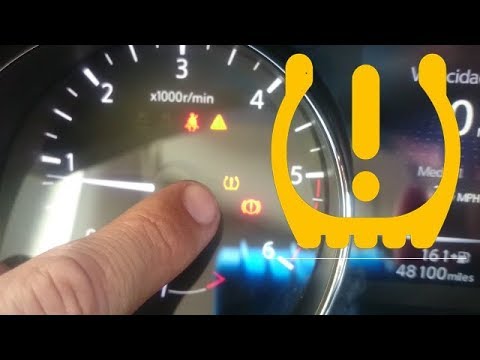 Nissan Pulsar (2014-2018 / MK 1)
Resetting the Tyre Pressure Warning Light on a Nissan Pulsar Today, you will see the instructions on how to reset the tyre pressure warning light on a Nissan Pulsar; before performing any operations, it is essential to …Read all… Posted on 20 June 2026 by ScegliAuto
Air filter (1)
Cabin air filter (2)
Interior dome light bulb (1)
Instrument cluster (1)
Seat (1)
Tire pressure warning light (6)
Service warning light (5)
|
See also:How to Activate the Disabled TRC on the Toyota Yaris?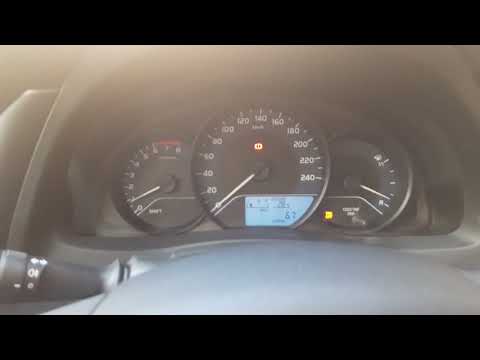
As the video clearly shows, disabling or activating the traction control (TRC or ESP) on the Toyota Yaris is very simple. By default, the traction system activates every time the vehicle is started. To disable it, simply press the button depicting a skidding car located in the centre of the vehicle where the controls are, such as the hazard lights and the radio, but near the handbrake. Once disabled, the TRC off light will illuminate on the dashboard. To reactivate it, just press the same button again. by ScegliAuto More videos
|
|
For advertising on this site Write to info@scegliauto.com
ScegliAuto is not responsible for any inaccuracy of the data in the lists. To report any inaccuracy or your business (if you own the business in question), please write to info@scegliauto.com
Number of seconds to generate the page: 0.008
(c) ScegliAuto 2026 - info@scegliauto.com - Privacy policy VAT number: IT01247470535 |
